Showing posts with label jailbreak. Show all posts

Wednesday, May 30, 2012

Absinthe 2.0.4 Released to Jailbreak the iPad 2,4


The Chronic Dev-Team has announced the release of Absinthe 2.0.4 to jailbreak the new iPad 2,4.

You can get the new version of Absinthe from here.

TUTORIALS:
● iPhone (Windows, Mac)
● iPad (Windows, Mac)
● iPod touch (Windows, Mac)

Supported Devices:
● iPad 1, iPad 2, iPad 3
● iPhone 3GS, iPhone 4, iPhone 4S
● iPod Touch 3G, iPod Touch 4G


You can follow Limerain on @limerain_com, Facebook page , or RSS to be notified of any further updates.


*thanks iclarified*

Send us a story or tip @ TipsForLimerain.com@gmail.com and follow our pages for the latest limera1n, rubyra1n, and all tech stories, follow us on Twitter at @iphonepixelpost or @limerain_com
And like our Facebook page www.iPodSets.com
- Posted using my iPhone 4

Friday, January 6, 2012

Planetbeing, MuscleNerd, and P0sixninja Help Pod2g With A5 Untethered Jailbreak


Pod2g has announced that Planetbeing, MuscleNerd, and P0sixninja have joined his effort to release an untethered jailbreak of the iPhone 4S and iPad 2.

@planetbeing, the legendary hacker behind iPhone Linux and lot of jailbreaks has joined the A5 research! The famous @MuscleNerd, the leader of the iPhone Dev Team, who did a lot of tests for Corona and whom integrated it and made it simple in redsn0w is willing to help also. And last, but not least @p0sixninja, the leader of the Chronic Dev Team, and my partner for years on iPhone security research has started to code and fuzz the Apple sandbox.

We now have a dream team to find a path for a public release of the A5 jailbreak. Cross your fingers.

Yesterday, pod2g posted a FAQ on why the A5 jailbreak had not been released yet. The key reason being that the exploit used to inject the untethering files to the 4S relies on having a developer account.

With the help of planetbeing, MuscleNerd, and p0sixninja, pod2g is hoping to find a distributable exploit to remount the system partition read/write and to set Corona files at the correct places.


*thanks iclarified*

Send us a story or tip @ TipsForLimerain.com@gmail.com and follow our pages for the latest limera1n, rubyra1n, and all tech stories, follow us on Twitter at @iphonepixelpost or @limerain_com
And like our Facebook page www.iPodSets.com
- Posted using my iPhone 4

Tuesday, December 20, 2011

Pod2g Resolves Cache Troubles With the iPhone 4S Untethered Jailbreak


Pod2g has resolved the cache troubles with the iPhone 4S untethered jailbreak, according to a new progress update.

---
OK, figured it out, the A5 cache is not a problem anymore. I sorted it out by doing the untether in a single thread and by flushing all the dcache then all the icache in a row at a strategical point of the process. It took me like a hundred of tests to find the key. Hard for the nerves.

For the tech guys, here is a link explaining issues related to self modifying code ( or code patching ) on the ARM platform : http://blogs.arm.com/software-enablemen ... ying-code/

Another news : I discussed with @saurik today about the launchd boot process, and he's found one missing piece of the puzzle I needed to have a perfectly stable jailbreak. He's definitly one of the best iOS gurus out there. Thank you saurik!
---

Things are definitely progressing. We'll let you know when we have more news via @limerain_com, Facebook page , and RSS.


*thanks iclarified*

Send us a story or tip @ TipsForLimerain.com@gmail.com and follow our pages for the latest limera1n, rubyra1n, and all tech stories, follow us on Twitter at @iphonepixelpost or @limerain_com
And like our Facebook page www.iPodSets.com
- Posted using my iPhone 4

Saturday, October 8, 2011

JailbreakMe Is Now Safe To Use After Being Transferred Over to Saurik


Jay Freeman, also known as Saurik, has purchased the JailbreakMe.com domain making it safe to use again.

Yesterday we reported that the JailbreakMe.com domain was no longer safe to use after ConceitedApps had sold the domain. Without control of the domain, the owner could have potentially uploaded malware, or some other malicious work. However, It seems that saurik was able to talk to the owner, and get the domain transferred. It is now in the hands of saurik and the iPhone Dev Team and should be safe to use.

Yesterday, we learned that jailbreakme.com was sold in July; today, I talked with the new owner: he is actually very likable and awesome. ;P....and tonight, jailbreakme.com was transferred to me (convenient, as I host the site ;P); so, going forward, we no longer need to worry! :D


*thanks iclarified*

Send us a story or tip @ TipsForLimerain.com@gmail.com and follow our pages for the latest limera1n, rubyra1n, and all tech stories, follow us on Twitter at @iphonepixelpost or @limerain_com
And like our Facebook page www.iPodSets.com
- Posted using my iPhone 4

Saturday, September 17, 2011

Chronic Dev Team Finds 5 Userland Exploits in iOS 5


The Chronic Dev Team has announced that they've found 5 userland exploits in iOS 5 making it very likely that an untethered jailbreak will be available for the upcoming firmware.

P0sixninja made the announcement at MyGreatFest, an iCommunity and Jailbreak convention currently being held in London, England.

While this is a "record breaking number of exploits found", userland exploits can be easily fixed via a minor software update. By keeping the exploits secret, the Chronic Dev Team is hoping that Apple won't fix them before the expected iOS 5 launch next month.

Notably, if the exploits are still present in iOS 5 when it releases, this will bring a jailbreak to the iPad 2 once again.


*thanks iclarified*

Send us a story or tip @ TipsForLimerain.com@gmail.com and follow our pages for the latest limera1n, rubyra1n, and all tech stories, follow us on Twitter at @iphonepixelpost or @limerain_com
And like our Facebook page www.iPodSets.com
- Posted using my iPhone 4

Monday, July 11, 2011

JailbreakMe Update Now Available as 'Essential Upgrade' in Cydia


Comex has released an update to JailbreakMe as an 'Essential Upgrade' that can be installed via Cydia, saurik reports.

So, @comex made some fixes to the kernel patches for JailbreakMe, and we are pushing them as an "Essential Upgrade"... I hope this works! :(

To be clear: do /not/ go back to jailbreakme.com and "redo" the jailbreak; instead, just open Cydia, and accept the new "Essential Upgrade".

This update should fix the issue with the Camera Connection Kit that we reported on earlier.

If you haven't already jailbroken your device you can find instructions on how to do so here:
iPhone
iPad
iPod touch


*thanks iclarified*

Send us a story or tip @ TipsForLimerain.com@gmail.com and follow our pages for the latest limera1n, rubyra1n, and all tech stories, follow us on Twitter at @iphonepixelpost or @limerain_com
And like our Facebook page www.iPodSets.com
- Posted using my iPhone 4

Saturday, July 2, 2011

Comex Responds to Stolen iPad 2 Jailbreak, Warns iPad 2 Users to Save SHSH Blobs


Comex has responded to the leaked iPad 2 jailbreak that was apparently stolen using a possible dictionary attack.

Congratulations, some moron used a dictionary attack(?) to leak a buggy version and put me on a useless time limit.

Let's hope the time limit isn't too short... hasn't been in the past but could always change. Everyone use TinyUmbrella and save 4.3.3.

Hopefully, Apple isn't able to close the exploit before comex finishes the jailbreak. To be safe please follow comex's advice and save your SHSH Blobs using one of the tutorials below...

How to Save Your SHSH Blobs: Windows Mac


*thanks iclarified*

Our new Forum is now open here or on the top tabs marks Forums, please register and post.. For the latest limera1n, rubyra1n, and all tech stories, follow us on Twitter at @iphonepixelpost or @limerain_com www.iPodSets.com
- Posted using my iPhone 4

Saturday, June 11, 2011

Has Comex Done it again, he Teases New Jailbreak Exploit?


Comex, the jailbreak hacker who uncovered the previous JailbreakMe 2.0 exploit could be back at it again.

Earlier today Comex tweeted a teaser image that shows a ski slope and a sign with black diamond and PDF symbols. The ski slope and diamond icon could be a reference to 'alpine' which is the default password for root access on iOS. The PDF could be a reference to the previous PDF exploit Comex uncovered in iOS 4.0 (JailbreakMe 2.0).

JailbreakMe allows users to jailbreak straight from their iOS device via Safari. These userland jailbreaks are quick and easy but usually patched by Apple rather quickly.

This jailbreak could either be for 4.3.3 or 5.0, or even the iPad 2. Remember, all devices except the iPad 2 will always be jailbreakable via the Limera1n exploit. Apple can easily patch the untether so it would not make sense to burn an exploit with iOS 5 releasing in a few months.

*thanks iclarified*

Our new Forum is now open here or on the top tabs marks Forums, please register and post.. For the latest limera1n, rubyra1n, and all tech stories, follow us on Twitter at @iphonepixelpost or @limerain_com www.iPodSets.com
- Posted using my iPhone 4

Monday, May 9, 2011

How to Jailbreak Your iPad 1 Using RedSn0w on Mac 4.3.3


These are instructions on how to jailbreak your iPad on the 4.3.3 firmware using RedSn0w for Mac. 


If you want to jailbreak a lower firmware version you can find the appropriate tutorial here.

Step One
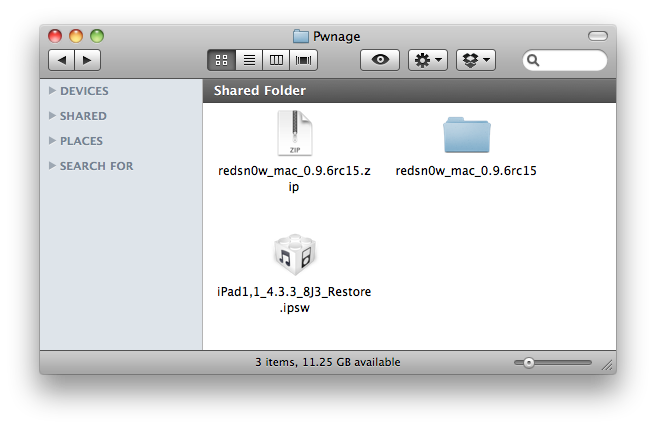
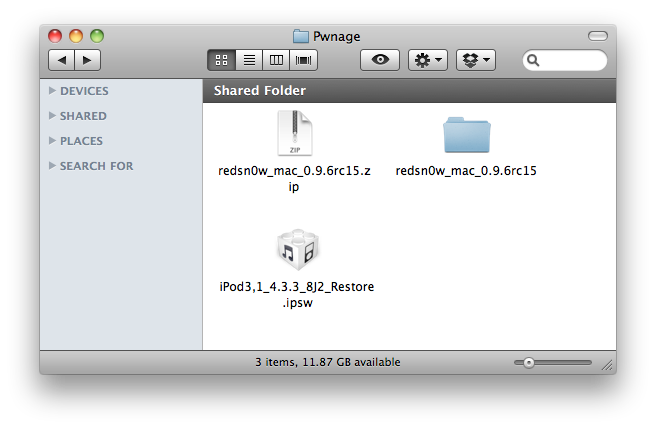
Create a folder on your desktop called Pwnage

RedSn0w rc16 can be ran on top of rc15. Make sure to uncheck Cydia installation when performing the installation.

You can download the new versions of RedSn0w and PwnageTool here:
● redsn0w 0.9.6rc15 (WindowsMac)
● PwnageTool 4.3.3 (Mac)


 and place it in the Pwnage folder. Likewise, download the latest 4.3.3 firmware from below and place it in the same folder. 

4.3.3 (iPad 1): iPad1,1_4.3.3_8J3_Restore.ipsw

Extract the RedSn0w zip file by double clicking it.


Step Two
Connect your iPad to the computer and launch iTunes. 


Select your iPad from the list of devices on the left. Now hold down Option and click the Restorebutton. Restore is preferred as it won't create any wasted space on your iPad.


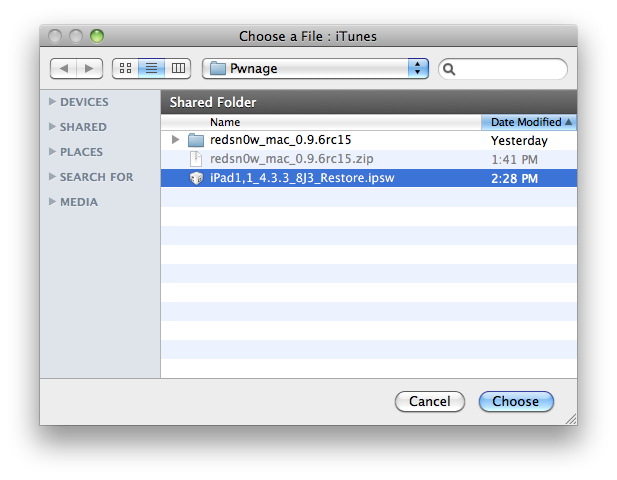
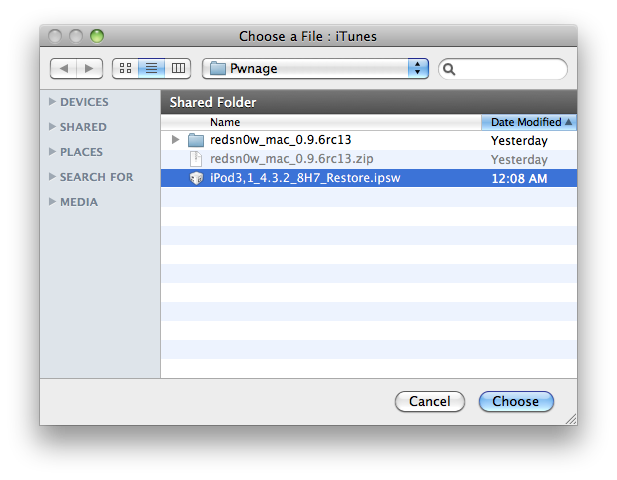
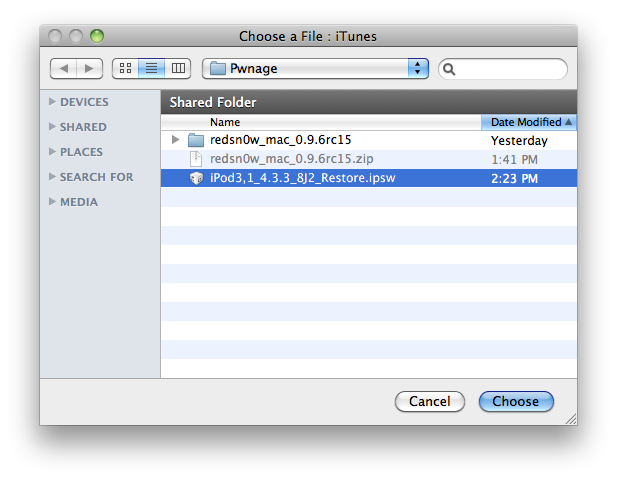
Navigate to the Pwnage folder on your desktop and select the 4.3.3 firmware ipsw. Click theChoose button to continue. 


Step Three
Once iTunes has finished updating your iPad to the desired firmware open the Pwnage folder on your desktop and launch the redsn0w application from the redsn0w folder we extracted earlier.


Step Four
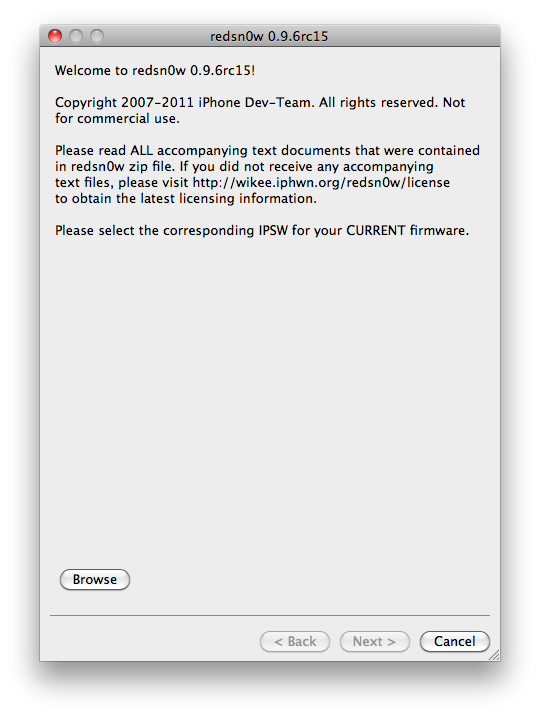
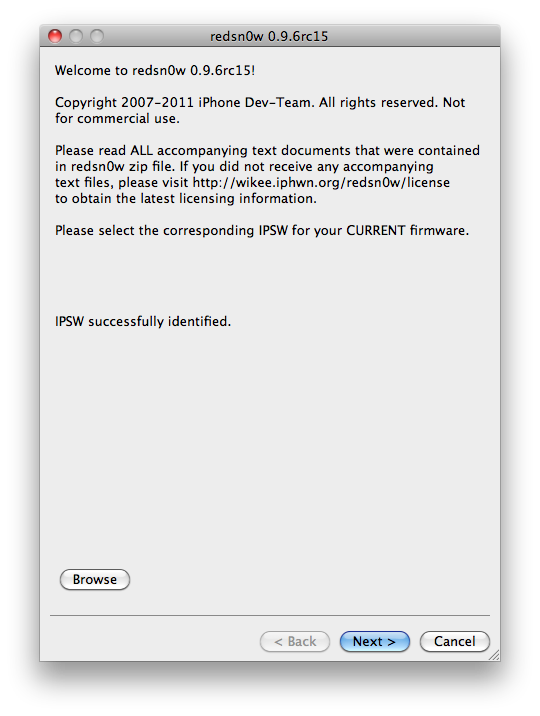
Once RedSn0w opens click the Browse button


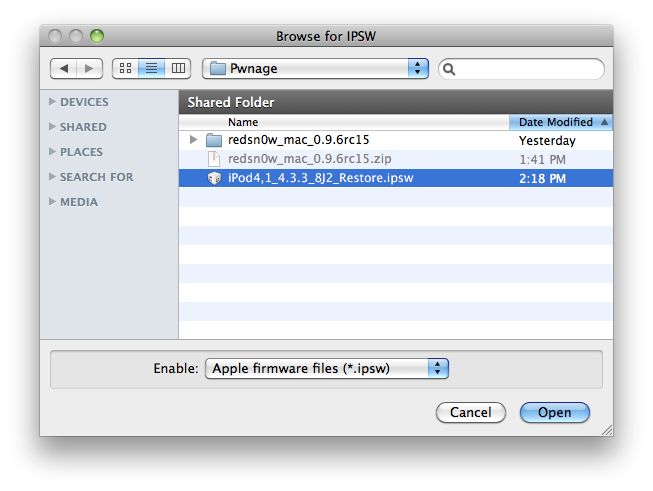
Step Five
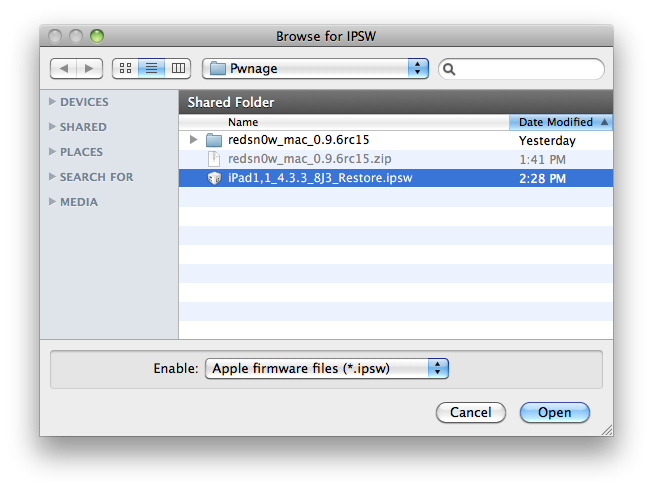
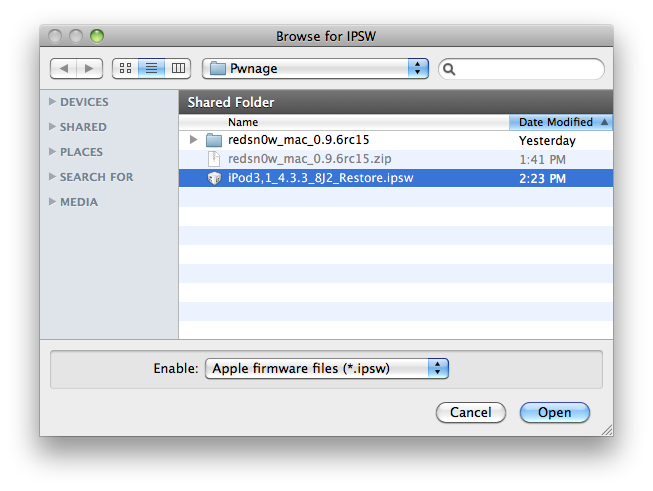
Select the 4.3.3 firmware ipsw we placed in the Pwnage folder on our desktop then click Open.


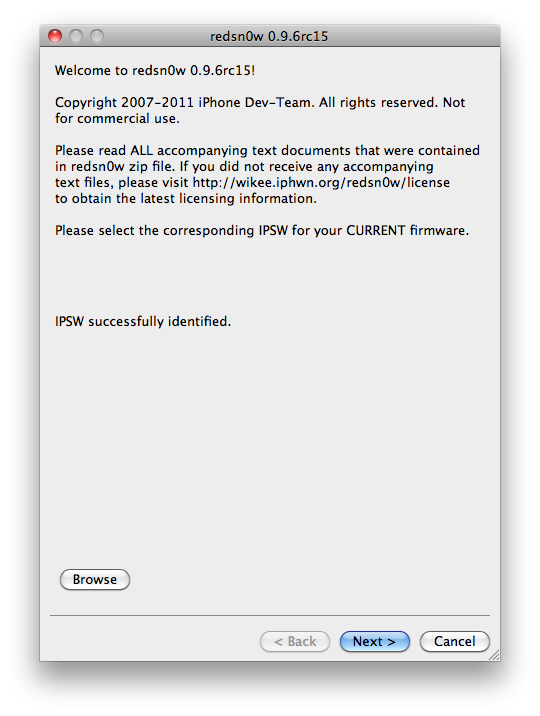
Step Six
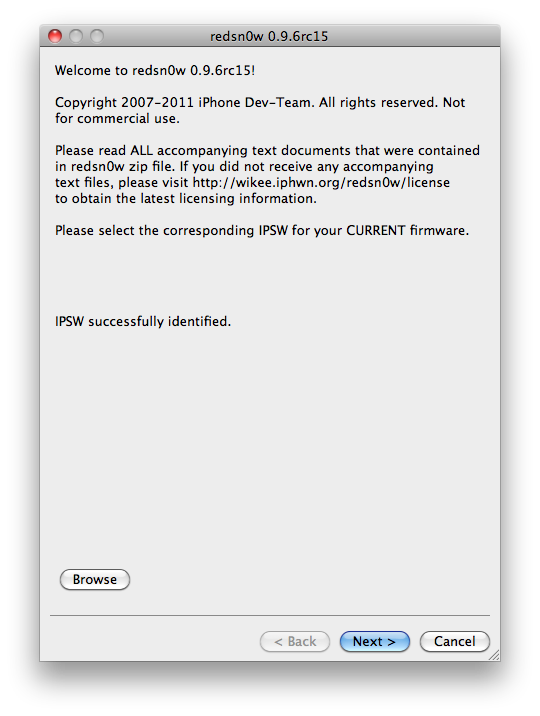
Once the firmware has been verified click the Next button to continue.


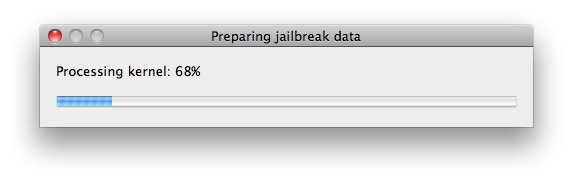
Step Seven
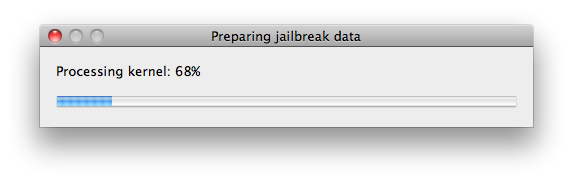
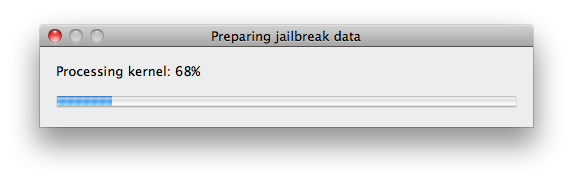
RedSn0w will now prepare the jailbreak data


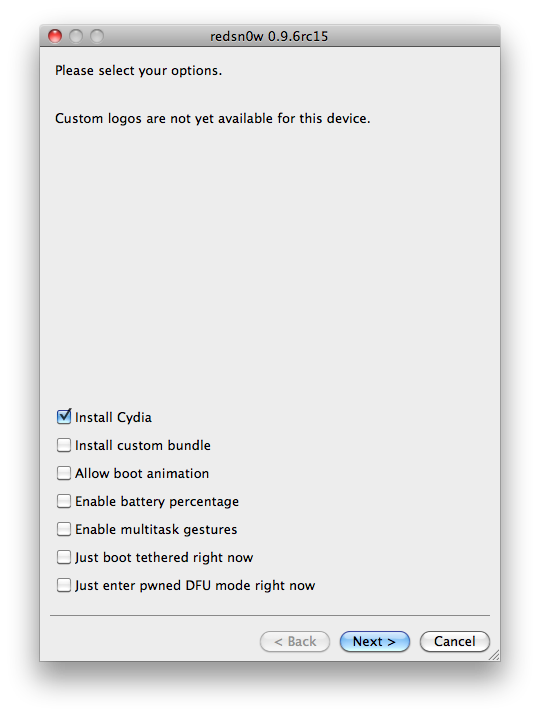
Step Eight
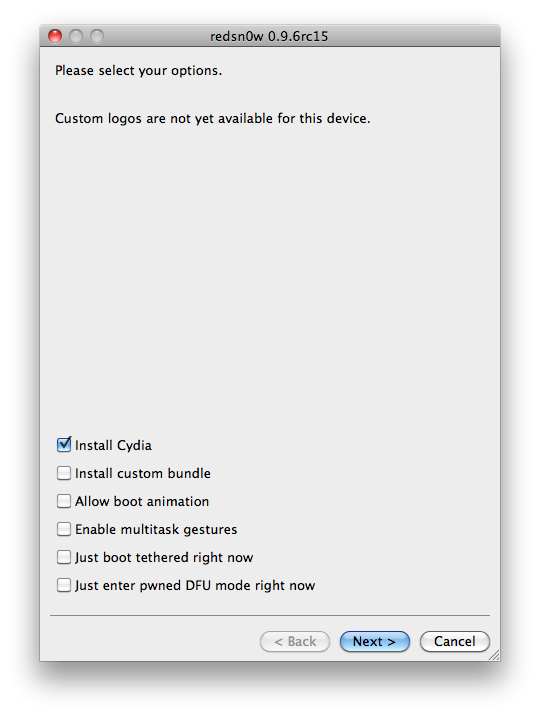
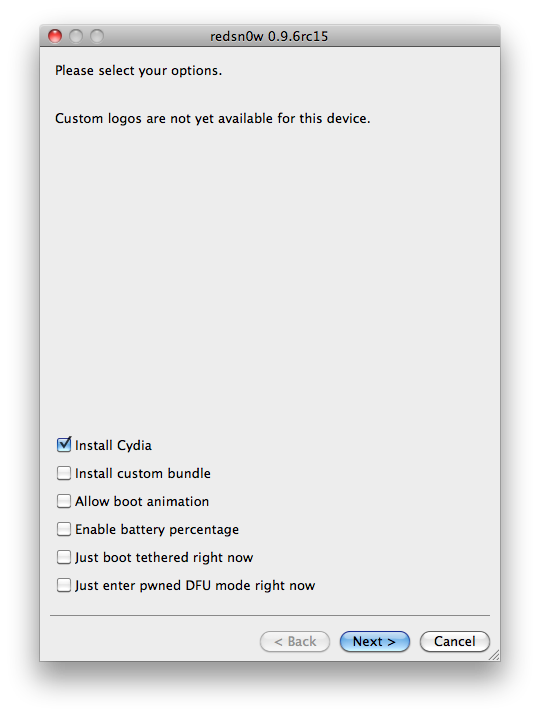
From this window you can select the jailbreak options you would like. Make sure Cydia is selected and click the Next button to continue


Step Nine
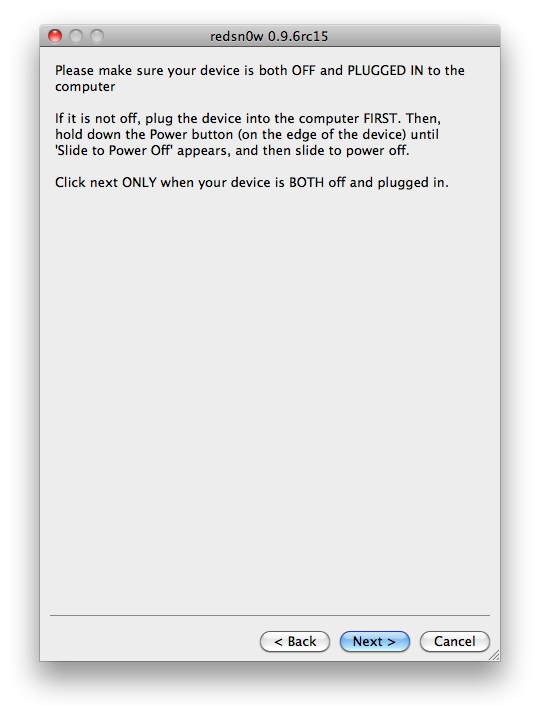
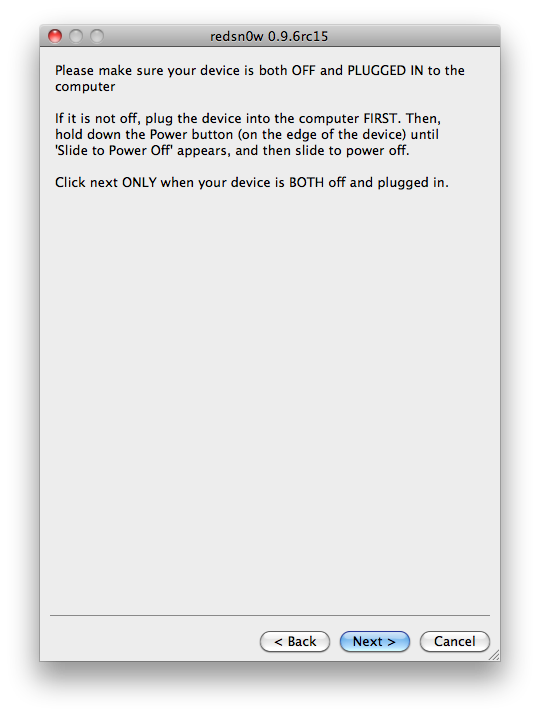
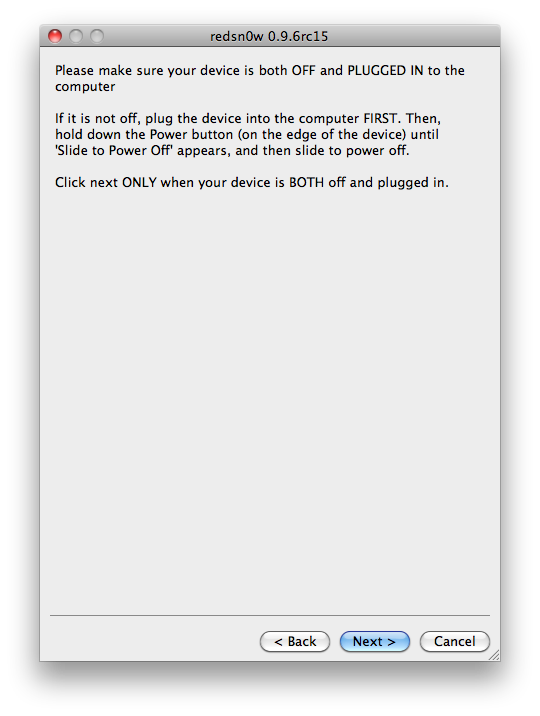
Please plug your iPad into the computer and make sure its OFF then click the Next button


Step Ten
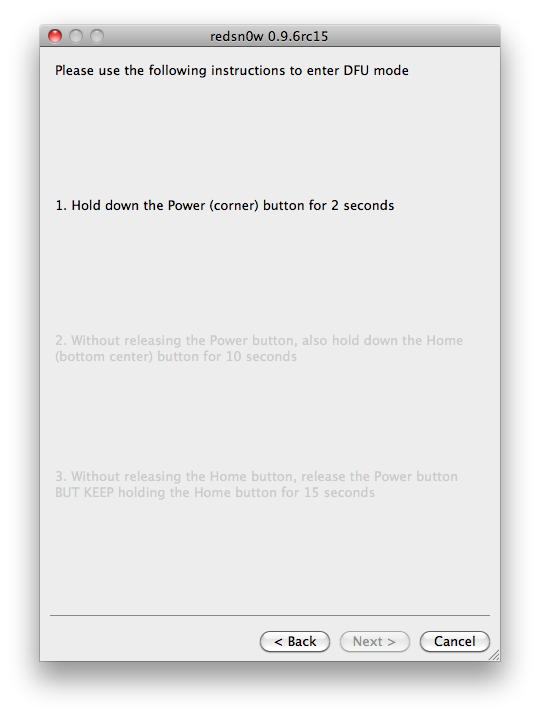
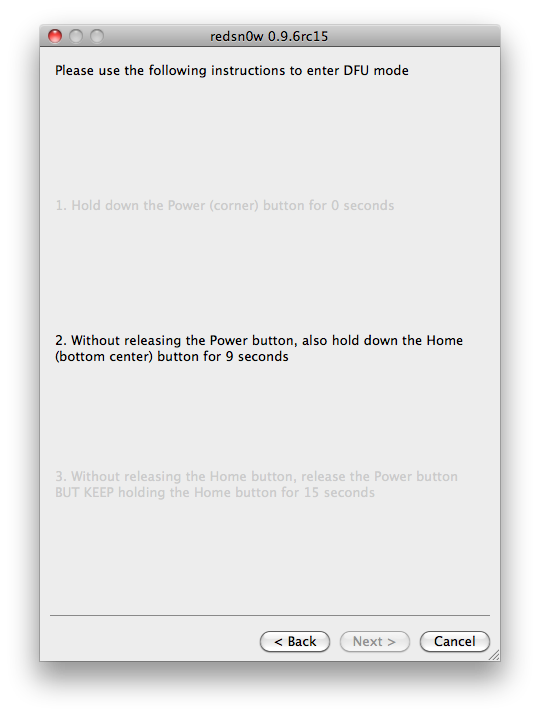
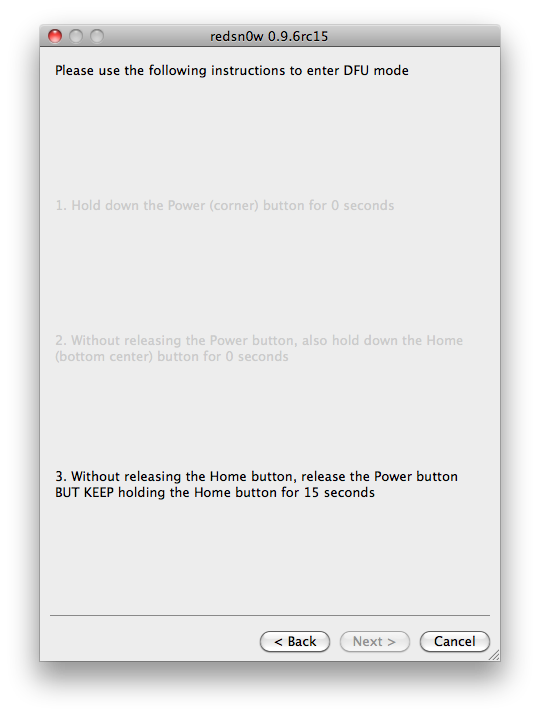
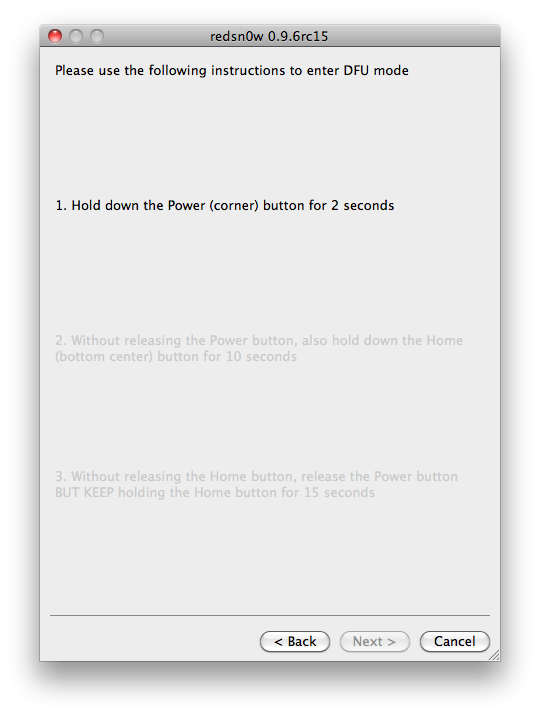
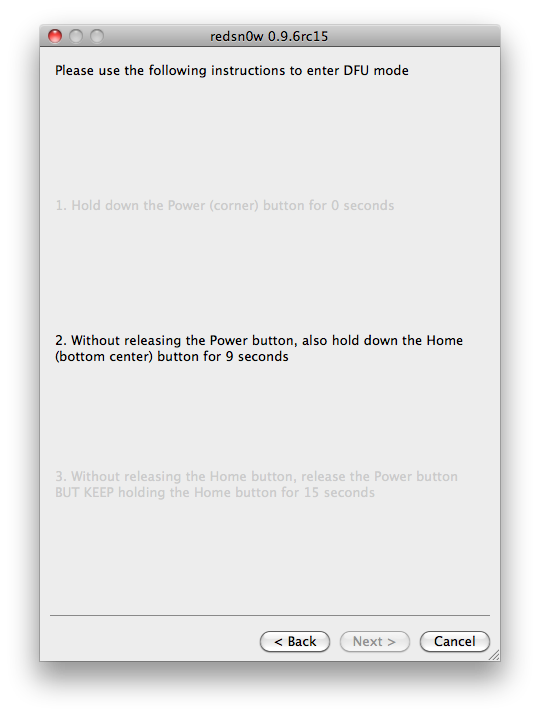
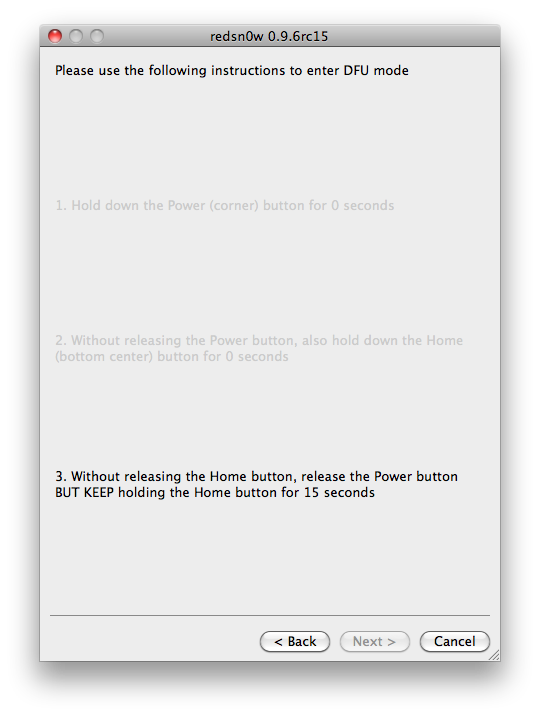
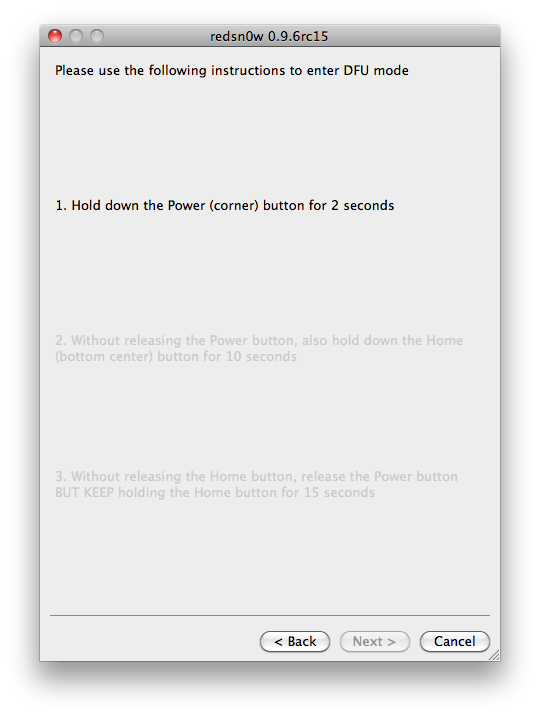
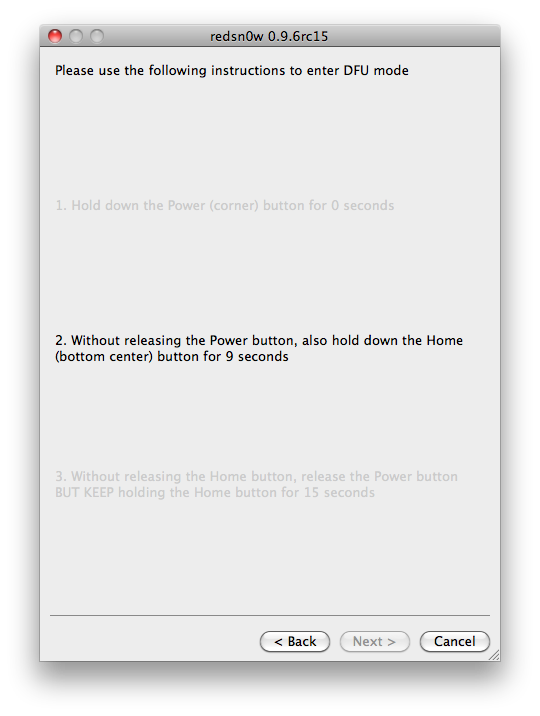
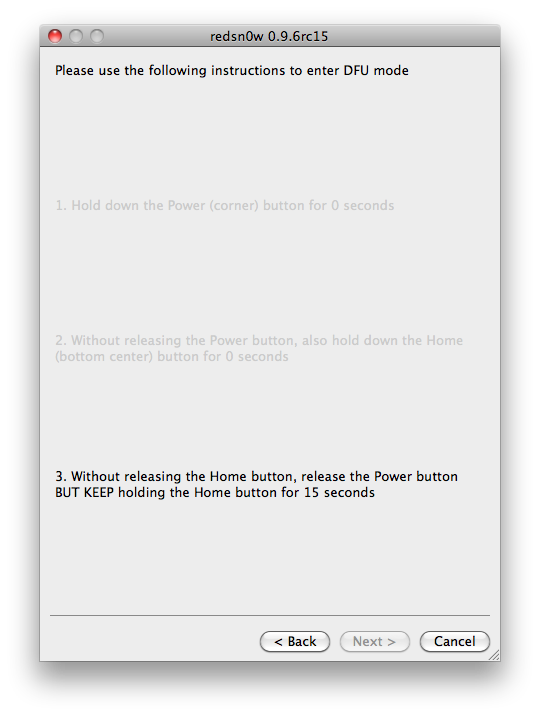
RedSn0w will now guide you through the steps to get into DFU mode. You can find more help with DFU mode here


Hold down both the Home button and the Power button for 10 seconds.


Release the Power button and continue holding the Home button until RedSn0w detects the device.


Step Eleven
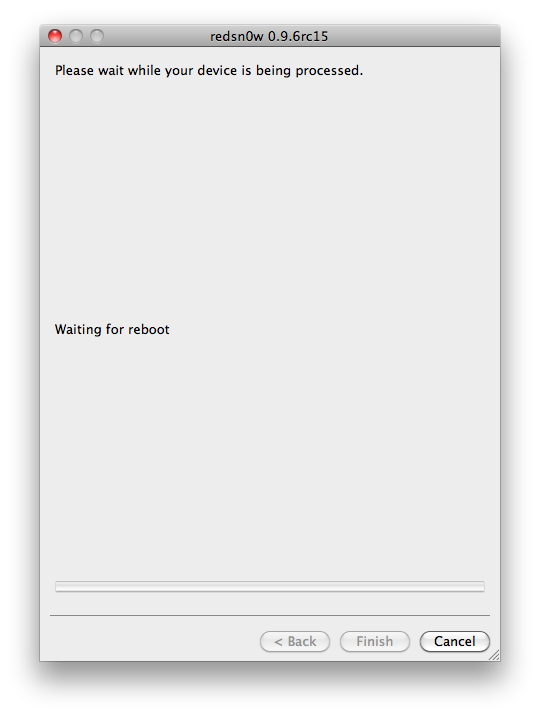
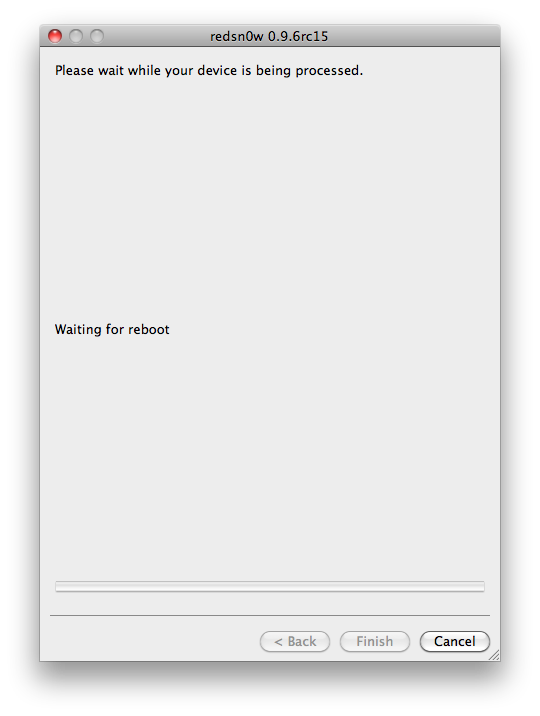
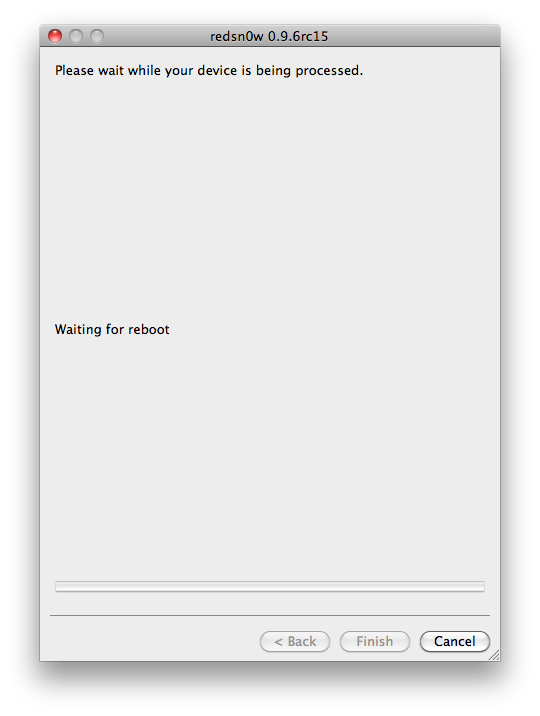
Your iPad will now reboot


Step Twelve
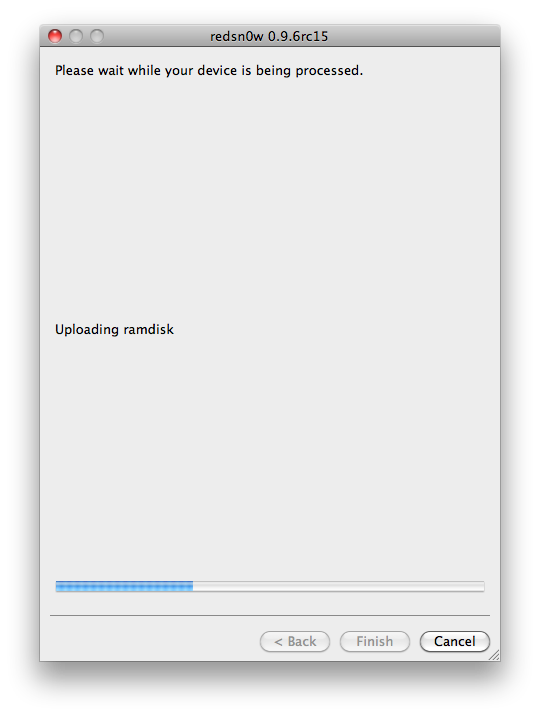
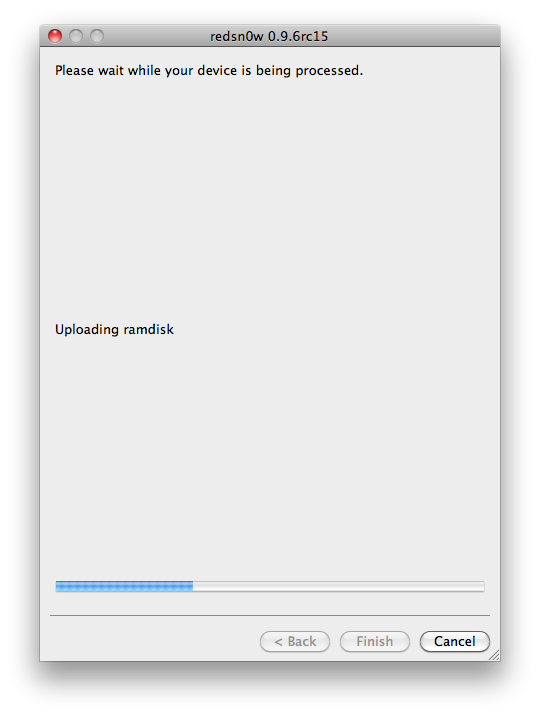
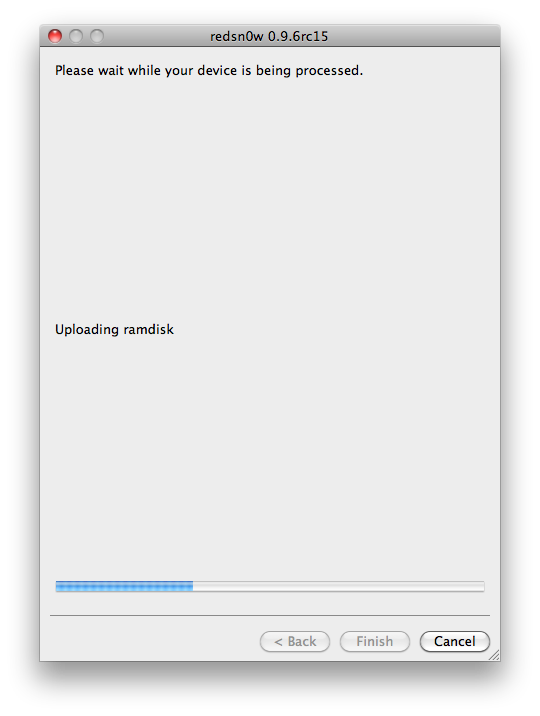
RedSn0w will then begin uploading the new RAM Disk and Kernel.


Step Thirteen
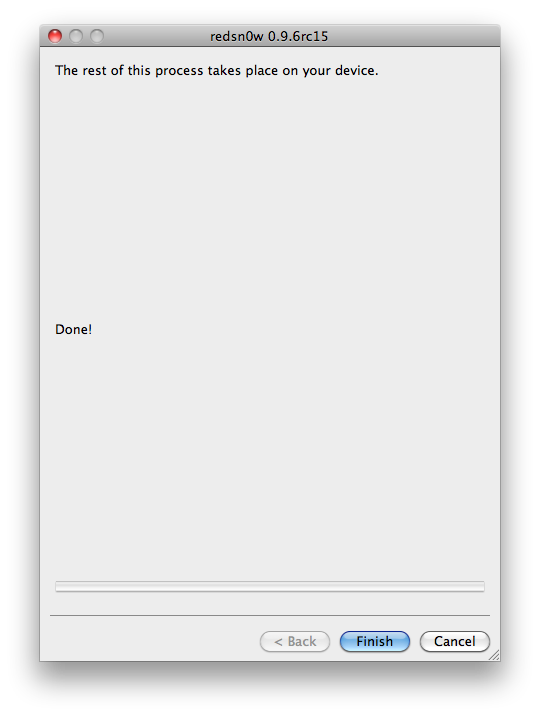
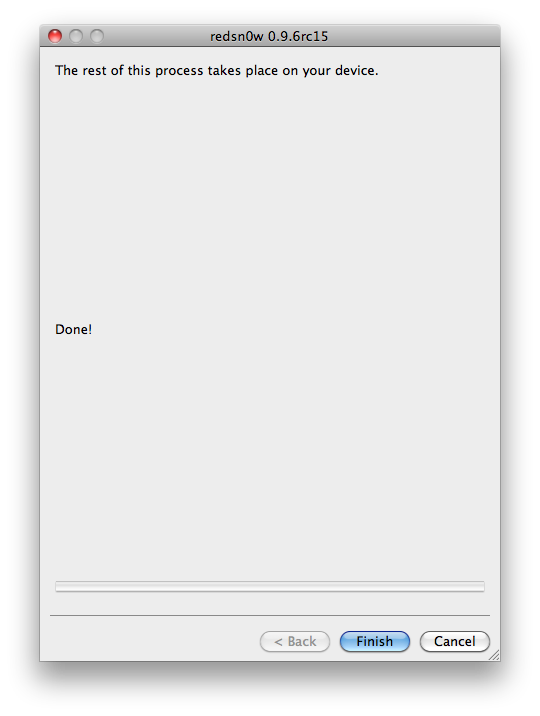
Once this is complete you will be notified that RedSn0w is done. Click the Finish button. When your iPad finishes rebooting (5 minutes or so) it will be jailbroken with Cydia on the SpringBoard.


*As usual a big thanks to the iPhone Dev-Team and I0n1c for their hard work and contribution to the iPhone community.


*thanks iclarified*

Our new Forum is now open here or on the top tabs marks Forums, please register and post.. For the latest limera1n, rubyra1n, and all tech stories, follow us on Twitter at @iphonepixelpost or @limerain_com www.iPodSets.com - Posted using my iPhone 4

How to Jailbreak Your iPod Touch 3G Using RedSn0w on Mac 4.3.3


These are instructions on how to jailbreak your iPod touch 3G on the 4.3.3 firmware using RedSn0w for Mac.

If you want to jailbreak a lower firmware version you can find the appropriate tutorial here.

Step One
Create a folder on your desktop called Pwnage

RedSn0w rc16 can be ran on top of rc15. Make sure to uncheck Cydia installation when performing the installation.

You can download the new versions of RedSn0w and PwnageTool here:
● redsn0w 0.9.6rc15 (WindowsMac)
● PwnageTool 4.3.3 (Mac)


 and place it in the Pwnage folder. Likewise, download the latest 4.3.3 firmware from below and place it in the same folder.

4.3.3 (3G): iPod3,1_4.3.3_8J2_Restore.ipsw

Extract the RedSn0w zip file by double clicking it.


Step Two
Connect your iPod to the computer and launch iTunes.


Select your iPod from the list of devices on the left. Now hold down Option and click the Restorebutton. Restore is preferred as it won't create any wasted space on your iPod.


Navigate to the Pwnage folder on your desktop and select the 4.3.3 firmware ipsw. Click theChoose button to continue.


Step Three
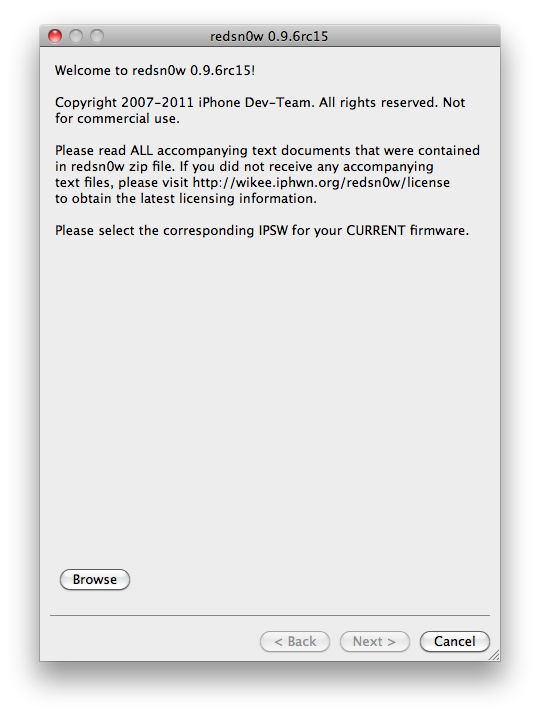
Once iTunes has finished updating your iPod to the desired firmware open the Pwnage folder on your desktop and launch the redsn0w application from the redsn0w folder we extracted earlier.


Step Four
Once RedSn0w opens click the Browse button


Step Five
Select the 4.3.3 firmware ipsw we placed in the Pwnage folder on our desktop then click Open.


Step Six
Once the firmware has been verified click the Next button to continue.


Step Seven
RedSn0w will now prepare the jailbreak data


Step Eight
From this window you can select the jailbreak options you would like.


Make sure Cydia is selected and click the Next button to continue.

Step Nine
Please plug your iPod into the computer and make sure its OFF then click the Next button


Step Ten
RedSn0w will now guide you through the steps to get into DFU mode. You can find more help with DFU mode here


Hold down both the Home button and the Power button for 10 seconds.


Release the Power button and continue holding the Home button until RedSn0w detects the device.


Step Eleven
Your iPod will now reboot


Step Twelve
RedSn0w will then begin uploading the new RAM Disk and Kernel.


Step Thirteen
Once this is complete you will be notified that RedSn0w is done. Click the Finish button. When your iPod finishes rebooting (5 minutes or so) it will be jailbroken with Cydia on the SpringBoard.


*As usual a big thanks to the iPhone Dev-Team and I0n1c for their hard work and contribution to the iPhone community.


*thanks iclarified*

Our new Forum is now open here or on the top tabs marks Forums, please register and post.. For the latest limera1n, rubyra1n, and all tech stories, follow us on Twitter at @iphonepixelpost or @limerain_com www.iPodSets.com - Posted using my iPhone 4

How to Jailbreak Your iPod Touch 4G Using RedSn0w on Mac 4.3.3


These are instructions on how to jailbreak your iPod touch 4G on the 4.3.3 firmware using RedSn0w for Mac.

If you want to jailbreak a lower firmware version you can find the appropriate tutorial here.

Step One
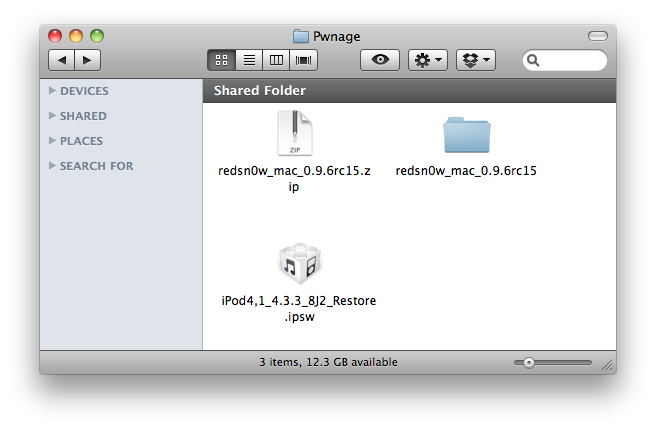
Create a folder on your desktop called Pwnage

RedSn0w rc16 can be ran on top of rc15. Make sure to uncheck Cydia installation when performing the installation.

You can download the new versions of RedSn0w and PwnageTool here:
● redsn0w 0.9.6rc15 (WindowsMac)
● PwnageTool 4.3.3 (Mac)


 and place it in the Pwnage folder. Likewise, download the latest 4.3.3 firmware from below and place it in the same folder. 

4.3.3 (4G): iPod4,1_4.3.3_8J2_Restore.ipsw

Extract the RedSn0w zip file by double clicking it.


Step Two
Connect your iPod to the computer and launch iTunes. 


Select your iPod from the list of devices on the left. Now hold down Option and click the Restorebutton. Restore is preferred as it won't create any wasted space on your iPod.


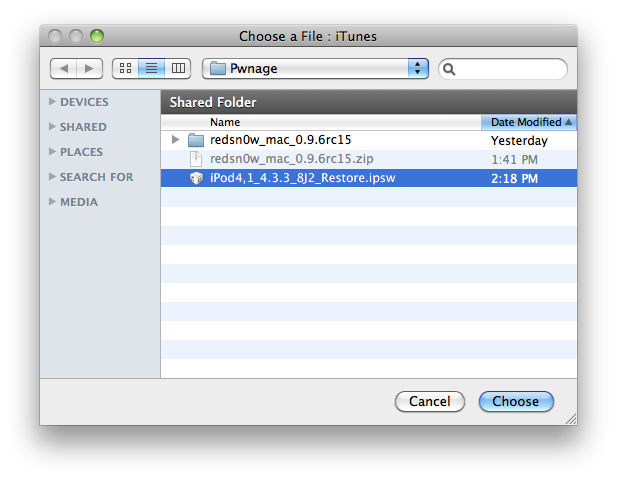
Navigate to the Pwnage folder on your desktop and select the 4.3.3 firmware ipsw. Click theChoose button to continue. 


Step Three
Once iTunes has finished updating your iPod to the desired firmware open the Pwnage folder on your desktop and launch the redsn0w application from the redsn0w folder we extracted earlier.


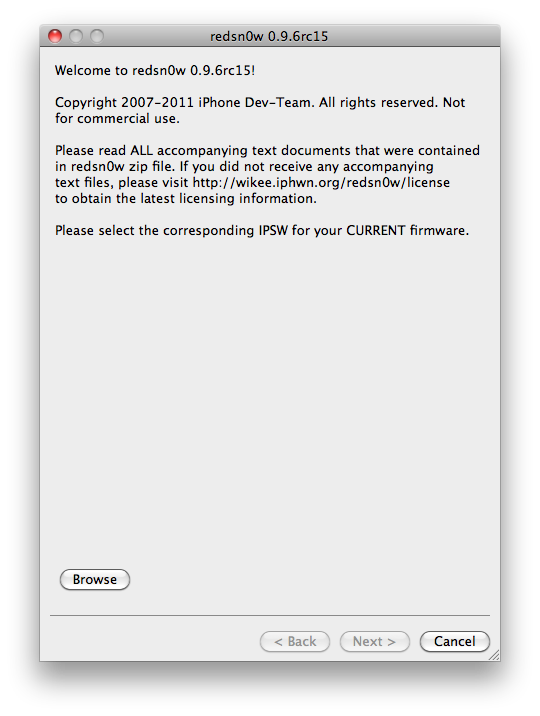
Step Four
Once RedSn0w opens click the Browse button


Step Five
Select the 4.3.3 firmware ipsw we placed in the Pwnage folder on our desktop then click Open.


Step Six
Once the firmware has been verified click the Next button to continue.


Step Seven
RedSn0w will now prepare the jailbreak data


Step Eight
From this window you can select the jailbreak options you would like.

Make sure Cydia is selected and click the Next button to continue.


Step Nine
Please plug your iPod into the computer and make sure its OFF then click the Next button


Step Ten
RedSn0w will now guide you through the steps to get into DFU mode. You can find more help with DFU mode here


Hold down both the Home button and the Power button for 10 seconds.


Release the Power button and continue holding the Home button until RedSn0w detects the device.


Step Eleven
Your iPod will now reboot


Step Twelve
RedSn0w will then begin uploading the new RAM Disk and Kernel.


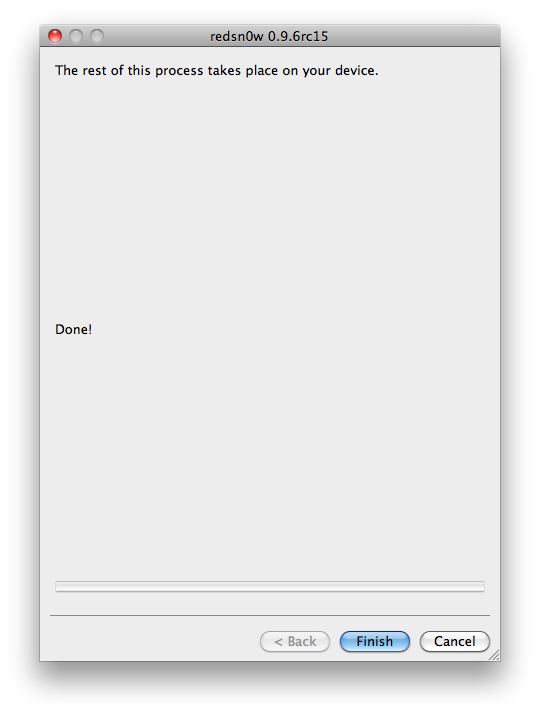
Step Thirteen
Once this is complete you will be notified that RedSn0w is done. Click the Finish button. When your iPod finishes rebooting (5 minutes or so) it will be jailbroken with Cydia on the SpringBoard.


*As usual a big thanks to the iPhone Dev-Team and I0n1c for their hard work and contribution to the iPhone community.


*thanks iclarified*

Our new Forum is now open here or on the top tabs marks Forums, please register and post.. For the latest limera1n, rubyra1n, and all tech stories, follow us on Twitter at @iphonepixelpost or @limerain_com www.iPodSets.com - Posted using my iPhone 4