Showing posts with label greenpois0n. Show all posts

Friday, February 18, 2011

Greenpois0n RC6.1 Released With iBooks, ATV2 Fix


The Chronic Dev-Team has released a minor update to Greenpois0n that brings a fix for iBooks and the Apple TV 2G Wi-Fi bug, according to OPK.

updated #greenpois0n builds for win and mac (RC6.1) are now live, these include the ibooks fix

a fix for the atv2 wifi bug has been made

You can download the latest release from here. It can be run on top of earlier builds.

To jailbreak follow one of these tutorials:
● iPhone (Windows)
● iPod Touch (Windows)
● iPad (Windows)

● iPhone (Mac)
● iPod Touch (Mac)
● iPad (Mac)
● Apple TV 2G (Mac)


*thanks iclarified*

Our new Forum is now open here or on the top tabs marks Forums, please register and post..

For the latest limera1n, rubyra1n, and all tech stories, follow us on Twitter at
@iphonepixelpost or @limerain_com
www.iPodSets.com
- Posted using my iPhone 4

Monday, February 7, 2011

Chronic Dev-Team is Adding Apple TV Support to Greenpois0n Rc6


The Chronic Dev-Team has begun work on adding Apple TV support to Greenpois0n.

starting on rc6 now, including appletv support!! @nitotv has already done most of the work for us. he's awesome!!!

We'll let you know when rc6 is available and post a tutorial for jailbreaking your Apple TV as well.

You can find a list of our current Greenpois0n tutorials here.


*thanks iclarified*

Our new Forum is now open here or on the top tabs marks Forums, please register and post..

For the latest limera1n, rubyra1n, and all tech stories, follow us on Twitter at
@iphonepixelpost or @limerain_com
www.iPodSets.com
- Posted using my iPhone 4

Saturday, February 5, 2011

iPhone | How to Jailbreak Your iPhone 3GS, iPhone 4, iPad, iPod Touch Using Greenpois0n (Windows)


These are instructions on how to jailbreak your iPhone 3GS and iPhone 4 using Greenpois0n for Windows. Greenpois0n supports the iOS 4.1 and iOS 4.2.1 firmware. Use Limera1n if you want to jailbreak iOS 4.0, iOS 4.0.1, iOS 4.0.2.

Remember: Do not update to iOS 4.2.1 if you need the unlock. Ultrasn0w does not support that baseband yet. The only exception is the iPhone 4. You can update to iOS 4.2.1 without upgrading your baseband by following this tutorial.

Step One
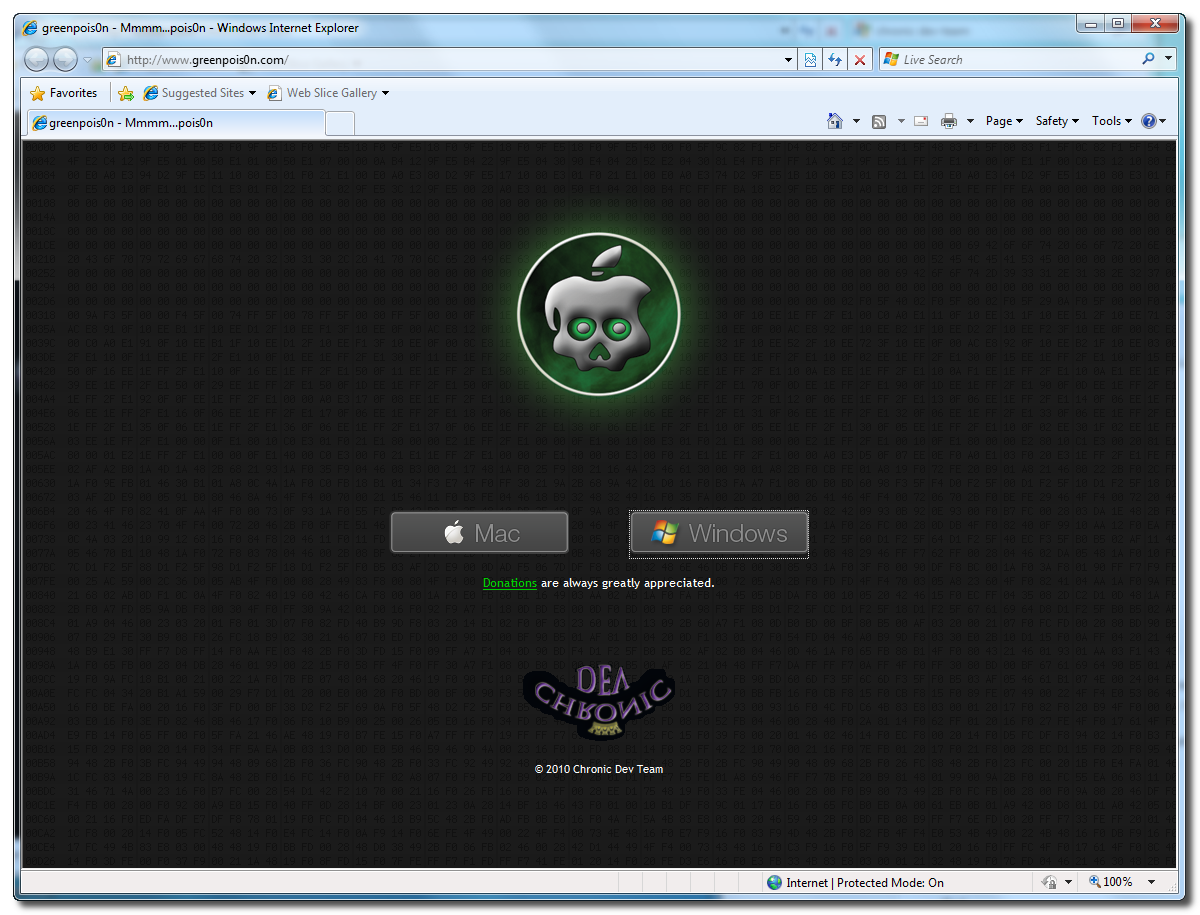
Open your web browser of choice and navigate to http://www.greenpois0n.com. Click theWindows link at the bottom of the screen.


Step Two
When prompted save the download to your desktop


Step Three
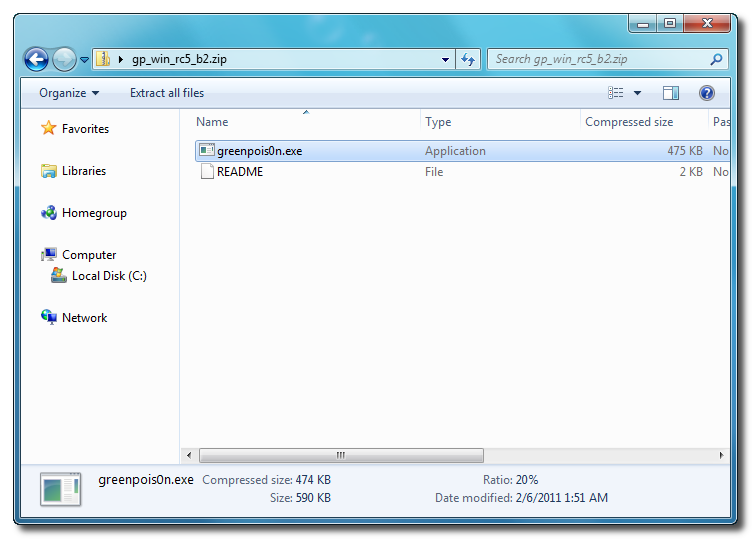
Double click the downloaded gp_win_rc5_b2.zip file then drag the greenpois0n.exe file to the desktop. Double greenpois0n.exe from the desktop to launch the application


Step Four
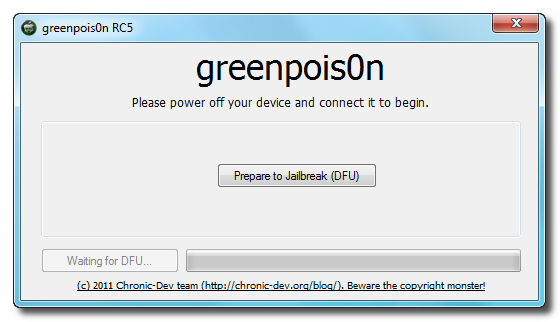
Power off your iPhone then click the large Prepare to Jailbreak (DFU) button


Step Five
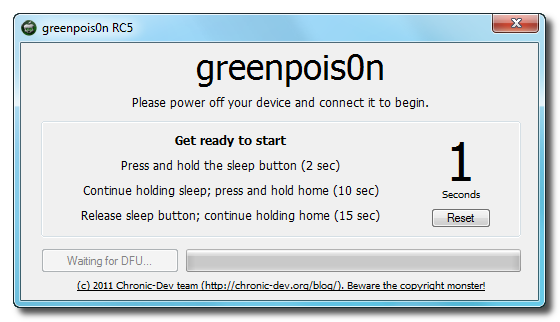
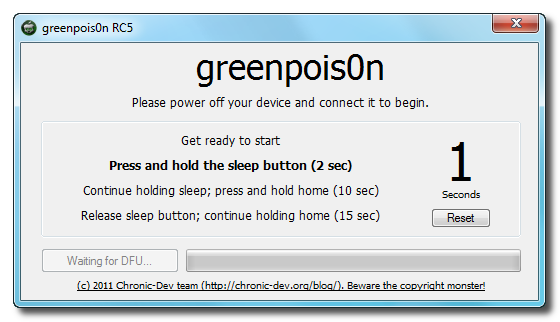
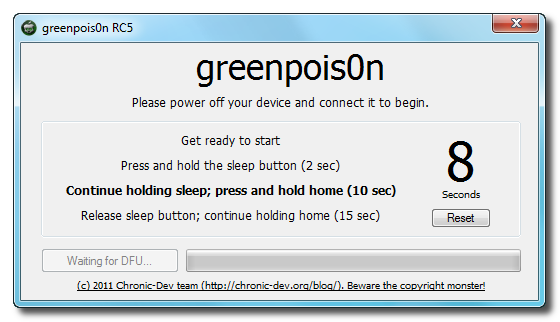
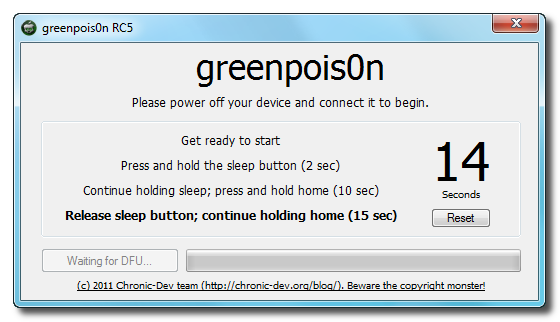
You will now be instructed on how to place your iPhone into DFU mode. You can get help with thishere.


You will be asked to press and hold the sleep button for 2 seconds.


Continue holding sleep; press and hold home for 10 seconds.


Release sleep button; continue holding home for 15 seconds.


Step Six
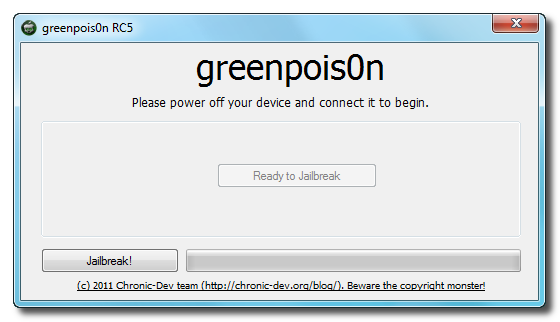
Once your iPhone is successfully in DFU mode you may click the Jailbreak button.


Step Seven
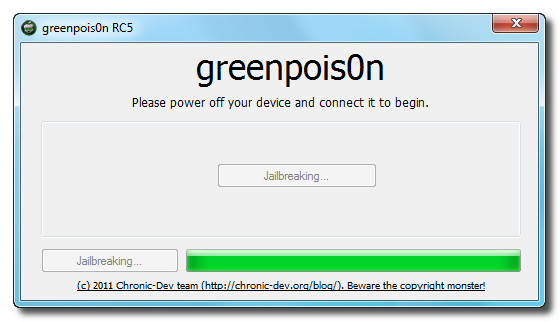
Greenpois0n will now jailbreak your device


Step Eight
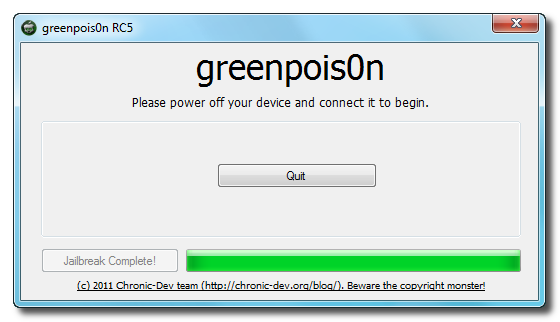
Click the Quit button once the software application has completed.


You'll notice some verbose mode text scrolling on your device.

Step Nine
After the iPhone restarts you'll notice a new Loader application on your Springboard. Press to launch it.


Step Ten
Press to select Cydia then press the large Install Cydia button that appears.


Step Eleven
Once Cydia has installed successfully you can remove Loader by pressing the Options button then the large red Remove Loader.app button.


Step Twelve
Restart your iPhone then run Cydia. Let it do all the necessary updates then follow our Unlocktutorial if possible for your device.


***A big thanks goes everyone who made this jailbreak possible.Our new Forum is now open
thanks iclarified
here or on the top tabs marks Forums, please register and post..  For the latest limera1n, rubyra1n, and all tech stories, follow us on Twitter at @iphonepixelpost or @limerain_com www.iPodSets.com - Posted using my iPhone 4


Greenposi0n windows download mirrors here!

Here are a few mirrors you can get a copy from.

Mirror1

Mirror2

Enjoy!!

Please comment on and success!!

If anyone would like to submit a custom tutorial for the windows version of greenpois0n please send us an email to limerain.com@gmail.com

Our new Forum is now open here or on the top tabs marks Forums, please register and post..

For the latest limera1n, rubyra1n, and all tech stories, follow us on Twitter at
@iphonepixelpost or @limerain_com
www.iPodSets.com
- Posted using my iPhone 4
Windows version of Greenpois0n is Live!


Greenpois0n windows version is now live on greenpois0n.com.
Tutorial will come soon...
Enjoy and your heard it here First!


Our new Forum is now open here or on the top tabs marks Forums, please register and post..

For the latest limera1n, rubyra1n, and all tech stories, follow us on Twitter at
@iphonepixelpost or @limerain_com
www.iPodSets.com
- Posted using my iPhone 4