Showing posts with label iPod touch 4 jailbreak. Show all posts

Sunday, August 21, 2011

Apple is field-testing LTE iOS 5 devices, could the next-gen iPad run on LTE?


Besides the iPhone 5 release date, the hottest iPhone-related news topic as of late has been LTE. A recent report claimed that Apple’s carrier partners were already exploring LTE iPhones, and this rumor became juicier with the discovery of LTE antennas being installed in some Apple Store locations in the United States. Now, we have discovered that carriers are not only “testing” an LTE iOS device in some fashion, but Apple actually has references to LTE in their iOS 5 field-test application.

This could mean that Apple has actual LTE devices – whether they are iPhones, iPod touches, or iPads – in a field-test stage. Not just in their $100 million “black lab.” The news comes straight from Apple’s field-test application that is installed on fully functioning iOS devices. The big picture here is that carriers are not just testing Apple LTE devices in their previously revealed chambers, but Apple actually has multiple references to the technology in their iOS 5 field-testing mechanism. In fact, the LTE references are even present in certain developer build plist files, not just the field-test application, as discovered by MacRumors.

Apple’s LTE devices will be covering the current carrier-band spectrum, running on bands from 1.4 to 20 MHz. This Apple field-test application references LTE SIM-cards as well. This not only means that Apple’s current LTE test devices are built-up enough to support a SIM-card – not just a bunch of wiring on a board – but that hopes of an integrated SIM-card system are likely still not going to come to fruition (at least in their LTE device[s]). The field-test application will also collect usage logs for Apple, furthering evidence that this is not simply an in-lab or in-box testing by carriers, but full-on testing against LTE tower connections in the wild.

If Apple is actually testing LTE devices in the field, it may seem a bit obvious to some, but the most interesting part is that the testing could be happening right now, on iOS 5 devices. The next iPhone will be an iOS 5 device and so will the next iPod touch, but the most interesting iOS 5 device – to us, at least – is the iPad 3. This is Apple’s largest iOS device. The device that they could technically cram the most components and battery life into. You may recall Apple COO Tim Cook’s words on why the first-generation Verizon iPhone does not support LTE: LTE would “force design changes we wouldn’t make.”

Apple is gearing up to launch an iOS 5-packing third-generation iPad in early 2012. A 9.7 inch tablet would be perfect for an LTE chip because of the hardware’s naturally larger (compared to an iPhone) internal component space. As LTE networks grow from both Verizon and AT&T in the United States into the first half of 2012, the iPad 3 will be the perfect LTE launch device from Apple. Unlike the iPhone, users will not need to rely on having a constant cellular connection – in addition, most of the iPads sold are the WiFi-only models. We do not have any evidence from sources that claim the new iPad will be an LTE device, but just a single tidbit that is complete with a large dose of speculation and open to much discussion…

*thanks 9to5mac*

Send us a story or tip @ TipsForLimerain.com@gmail.com and follow our pages for the latest limera1n, rubyra1n, and all tech stories, follow us on Twitter at @iphonepixelpost or @limerain_com
And like our Facebook page www.iPodSets.com
- Posted using my iPhone 4

Monday, July 11, 2011

JailbreakMe Update Now Available as 'Essential Upgrade' in Cydia


Comex has released an update to JailbreakMe as an 'Essential Upgrade' that can be installed via Cydia, saurik reports.

So, @comex made some fixes to the kernel patches for JailbreakMe, and we are pushing them as an "Essential Upgrade"... I hope this works! :(

To be clear: do /not/ go back to jailbreakme.com and "redo" the jailbreak; instead, just open Cydia, and accept the new "Essential Upgrade".

This update should fix the issue with the Camera Connection Kit that we reported on earlier.

If you haven't already jailbroken your device you can find instructions on how to do so here:
iPhone
iPad
iPod touch


*thanks iclarified*

Send us a story or tip @ TipsForLimerain.com@gmail.com and follow our pages for the latest limera1n, rubyra1n, and all tech stories, follow us on Twitter at @iphonepixelpost or @limerain_com
And like our Facebook page www.iPodSets.com
- Posted using my iPhone 4

Sunday, July 10, 2011

Over 2,000,000 Jailbreaks Have Already Been Performed Using JailbreakMe


In only a few days time, 2,000,000 devices have been jailbroken using JailbreakMe 3.0, reports chpwn.

Just passed 2,000,000 clicks of the jailbreak button on http://t.co/162qNvZ!

Comex released the jailbreak on July 6th. It supports all devices including the iPad 2. You can find instructions on how to jailbreak your device here:
iPhone
iPad
iPod touch


*thanks iclarified*

Send us a story or tip @ TipsForLimerain.com@gmail.com and follow our pages for the latest limera1n, rubyra1n, and all tech stories, follow us on Twitter at @iphonepixelpost or @limerain_com
And like our Facebook page www.iPodSets.com
- Posted using my iPhone 4

Wednesday, July 6, 2011

How to Jailbreak Your iPhone 4, 3GS, iPad 1, iPad 2, iPod touch 3, and iPod touch 4 Using JailbreakMe 4.3.3


These are instructions on how to jailbreak your idevice firmware versions supported:
● iPad1: 4.3 through 4.3.3
● iPad2: 4.3.3
● iPhone3GS: 4.3 through 4.3.3
● iPhone4: 4.3 through 4.3.3
● iPhone4-CDMA: 4.2.6 through 4.2.8
● iPod touch 3g: 4.3, 4.3.2, 4.3.3
● iPod touch 4g: 4.3 through 4.3.3
using JailbreakMe.

If you are already on iOS 4.3.3 or iOS 4.2.8 you can skip the first five steps of this tutorial.

*Remember that updating to iOS 4.3.3 will update your baseband and perhaps ruin your chances of an unlock. Use TinyUmbrella (Mac, Windows) to update the iPhone 4 to iOS 4.3.3 without updating the baseband.

Step One
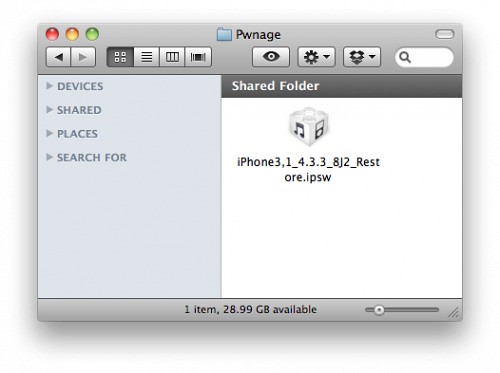
Create a Pwnage folder on your desktop and place the iOS 4.3.3 or iOS 4.2.8 (Verizon CDMA) ipsw in it.

You can download the ipsw for your device from here:
4.3.3 (3GS): iPhone2,1_4.3.3_8J2_Restore.ipsw
4.3.3 (4 GSM): iPhone3,1_4.3.3_8J2_Restore.ipsw
4.2.8 (4 CDMA): iPhone3,3_4.2.8_8E401_Restore.ipsw
4.3.3 (3G): iPod3,1_4.3.3_8J2_Restore.ipsw
4.3.3 (4G): iPod4,1_4.3.3_8J2_Restore.ipsw

4.3.3 (iPad 1): iPad1,1_4.3.3_8J3_Restore.ipsw
4.3.3 (iPad 2 Wi-Fi): iPad2,1_4.3.3_8J2_Restore.ipsw
4.3.3 (iPad 2 GSM): iPad2,2_4.3.3_8J2_Restore.ipsw
4.3.3 (iPad 2 CDMA): iPad2,3_4.3.3_8J2_Restore.ipsw


Step Two
Connect your iDevice to the computer and launch iTunes.


Step Three
Select your iDevice from the list of devices on the left


Step Four
Hold down the Option (Mac) or Shift (Windows) key and click the Restore button.


Step Five
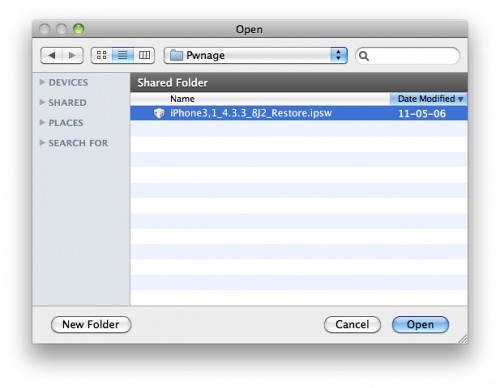
Select the iOS 4.3.3 ipsw from the Pwnage folder on your desktop and click Open.


Step Six
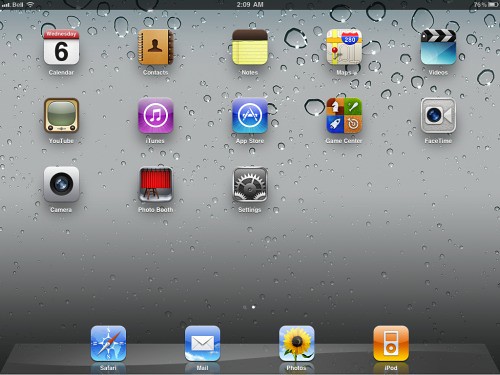
Once your iDevice is running iOS 4.3.3, press to launch Safari from your desktop.


Step Seven
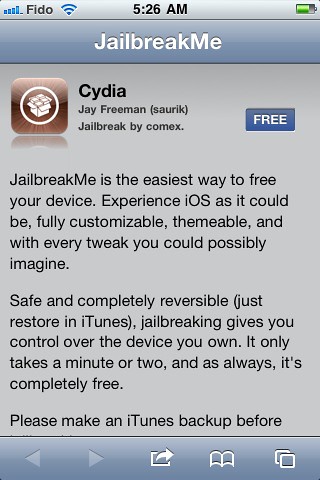
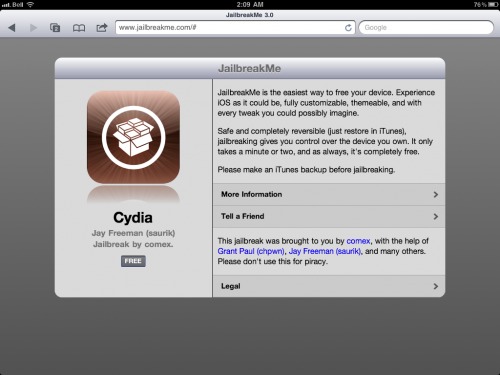
Navigate to http://www.jailbreakme.com and press the Free button.


Step Eight
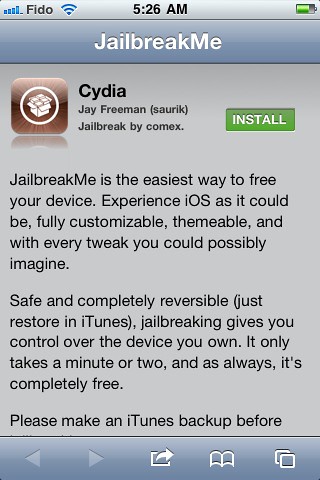
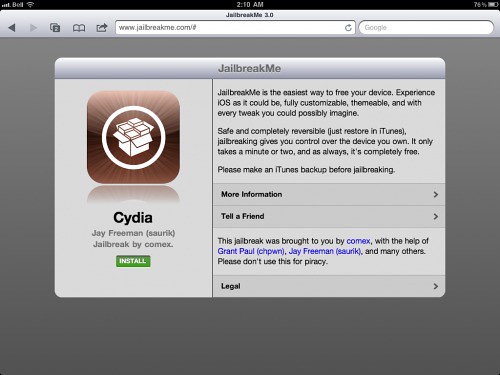
Press the Install button.


Step Nine
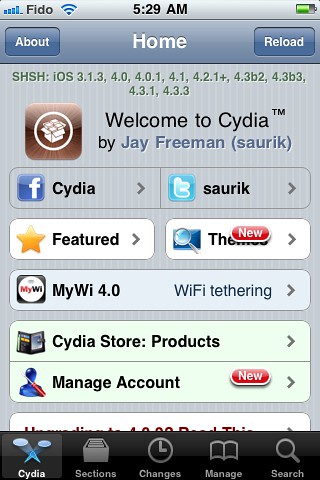
Safari will now close and Cydia will download and install.


Step Ten
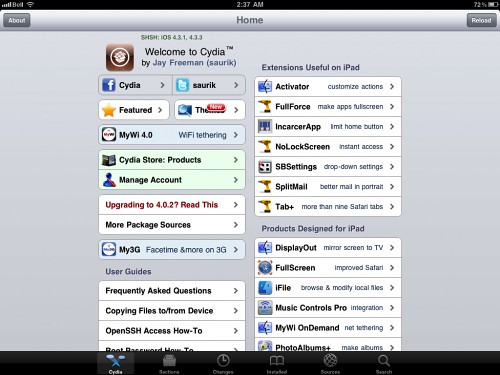
Press to launch Cydia and enjoy your jailbroken iDevice!


***Thanks goes to Comex for his hard work on this impressive jailbreak!***

*thanks iclarified*

If you have a story or tip email us :TipsForLimerain.com@gmail.com For the latest limera1n, rubyra1n, and all tech stories, follow us on Twitter at @iphonepixelpost or @limerain_com
And like our Facebook page www.iPodSets.com
- Posted using my iPhone 4

The iPad 2 Jailbreak Has Officially Been Released!


Comex has officially released the iPad 2 jailbreak for iOS 4.3.3.

The jailbreak uses a PDF exploit similar to JailbreakMe and does not require your device to be connected to the computer.

To jailbreak, navigate to http://www.jailbreakme.com on your iOS device after updating to iOS 4.3.3. We will be posting detailed instructions walking you through the process very shortly. You can follow us on Twitter and Facebook using the links at the bottom of the page for more updates.

A big thanks goes to Comex for his hard work in making this jailbreak possible.

Update:
There are a few bugs getting the site live...
MuscleNerd: "everyone look over here while some things get fixed :)"

Update 2:
Things seem to be working now. You can follow our iPad, iPhone, or iPod touch tutorial to jailbreak!

Update 3:
Here are the firmware versions supported:
● iPad1: 4.3 through 4.3.3
● iPad2: 4.3.3
● iPhone3GS: 4.3 through 4.3.3
● iPhone4: 4.3 through 4.3.3
● iPhone4-CDMA: 4.2.6 through 4.2.8
● iPod touch 3g: 4.3, 4.3.2, 4.3.3
● iPod touch 4g: 4.3 through 4.3.3


*thanks iclarified*

Our new Forum is now open here or on the top tabs marks Forums, please register and post.. For the latest limera1n, rubyra1n, and all tech stories, follow us on Twitter at @iphonepixelpost or @limerain_com
And like our Facebook page www.iPodSets.com
- Posted using my iPhone 4

Tuesday, April 26, 2011

How to Jailbreak Your iPod Touch 4G Using PwnageTool (Mac) [4.3.2]


These are instructions on how to jailbreak your iPod Touch 4G on iOS 4.3.2 using PwnageTool for Mac.
This tutorial can be used for all devices compatible with pwnagetool 4.3.2 however each device requires a deferent size partition, for device specific tutorials please look here
Step One
Make a folder called "Pwnage" on the desktop. In it, you will need a couple of things. PwnageTool 4.3.2, found here.

You will also need the 4.3.2 iPod Touch firmware.
4.3.2 (4G): iPod4,1_4.3.2_8H7_Restore.ipsw

When downloading the IPSW file, it is best to download it with Firefox since Safari often auto extracts it!


Step Two
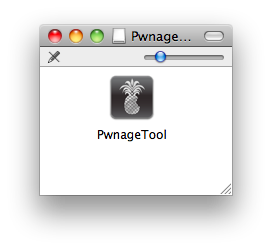
Double click to mount PwnageTool then drag the PwnageTool icon into the Pwnage folder.


Then from the Pwnage folder double click to launch the PwnageTool application.


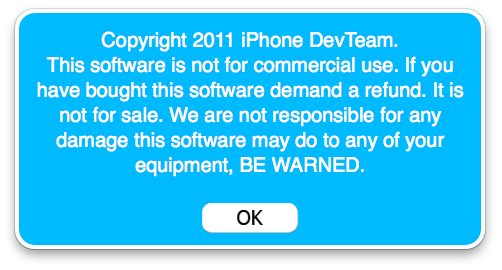
Click Ok if presented with a warning.


Step Three
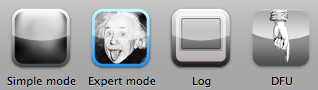
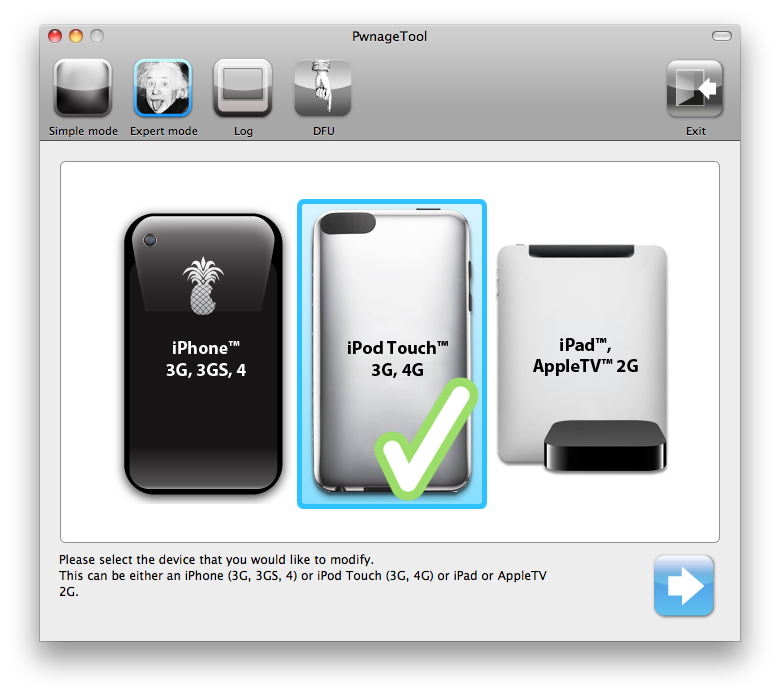
Click to select Expert Mode from the top menu bar


Step Four
Click to select your iPod. A check-mark will appear over the image of the phone. Click the blue arrow button to continue.


Step Five
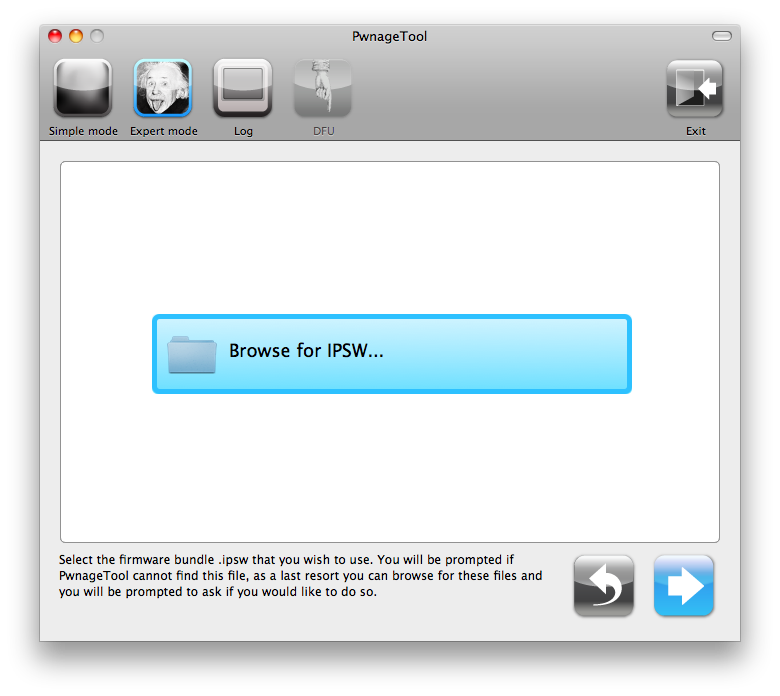
You will be brought to the "Browse for IPSW" page. Click the Browse for IPSW... button.


From the popup window select your firmware from the Pwnage folder then click the Open button.


Step Six
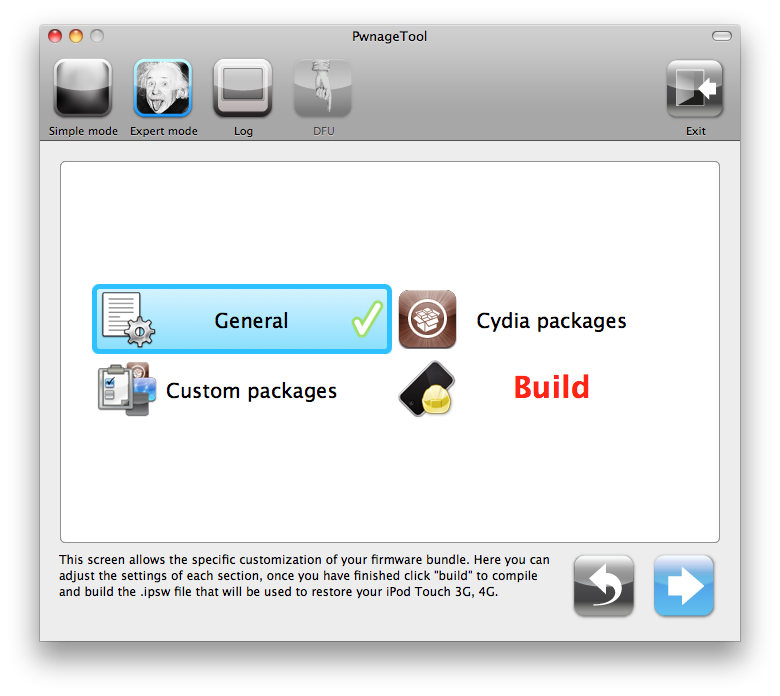
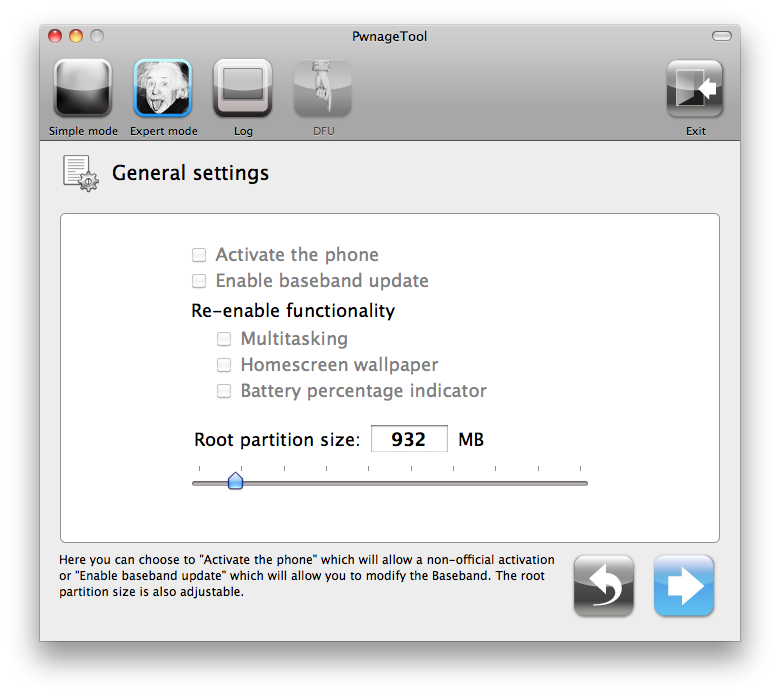
You will then be brought to a menu with several choices. Click to select General then click the blue arrow button.


The General settings allows you to decide the partition size.


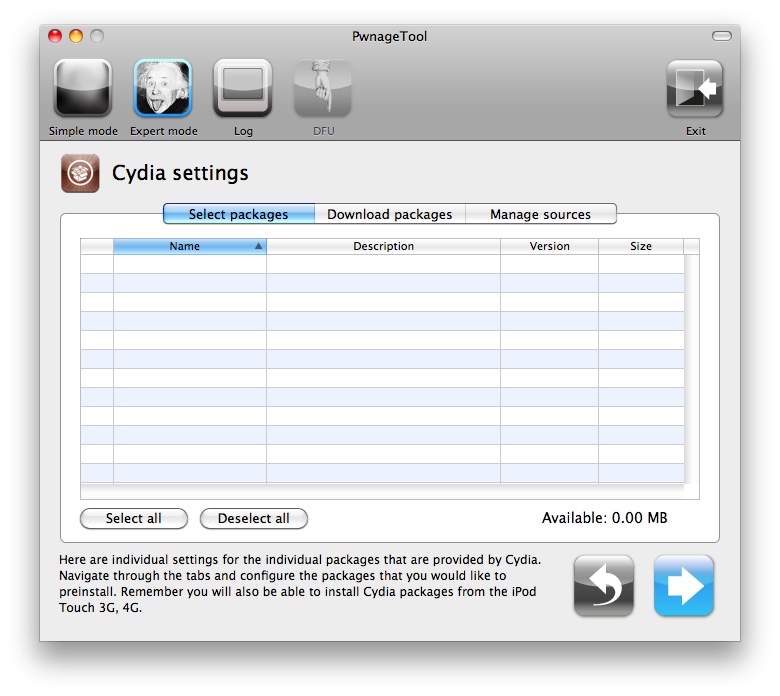
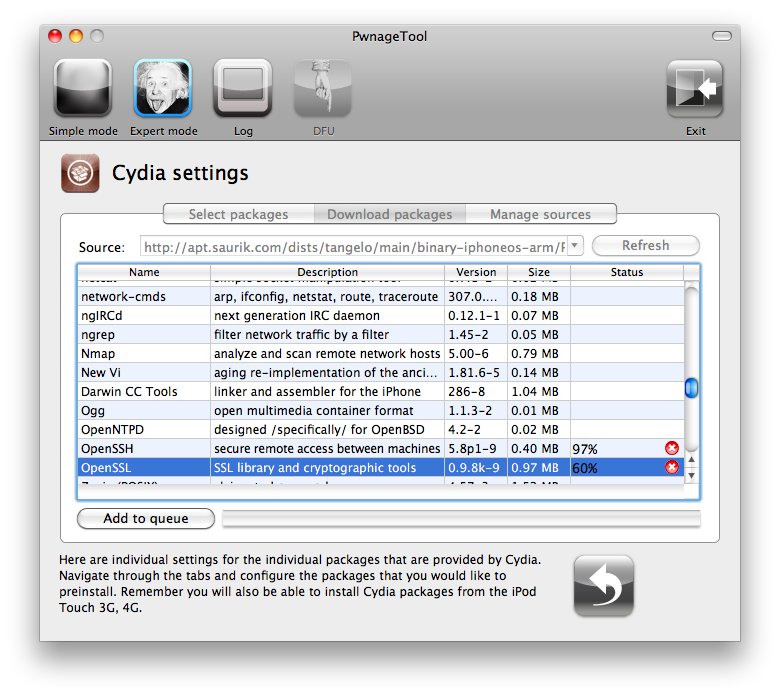
The Cydia settings menu allows you to create custom packages so you do not have to manually install the necessary them later.


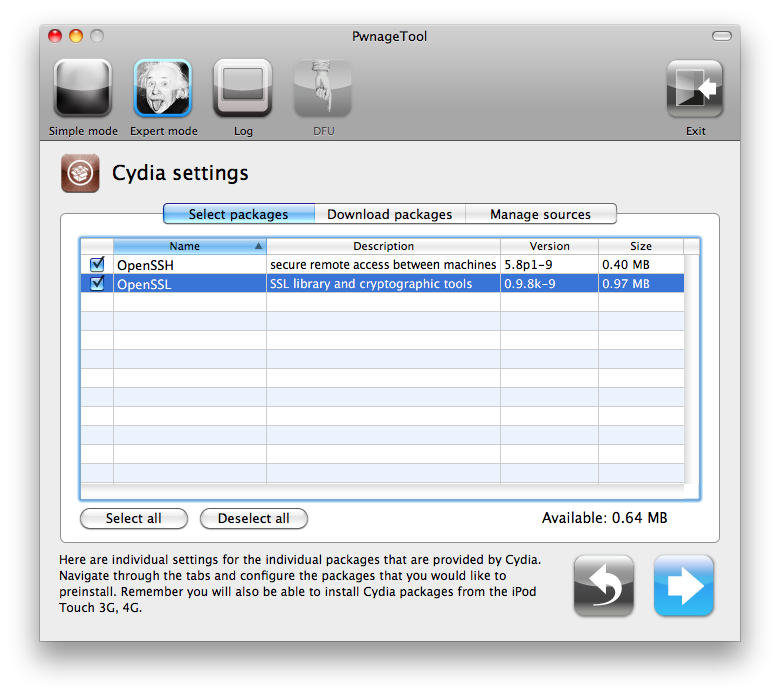
Click to select the Download packages tab. Then click the Refresh button to display all the available packages. Double clicking the package you want will download it and make it available in the Select Packages tab.


Checkmark the ones you want then Click the blue arrow button.


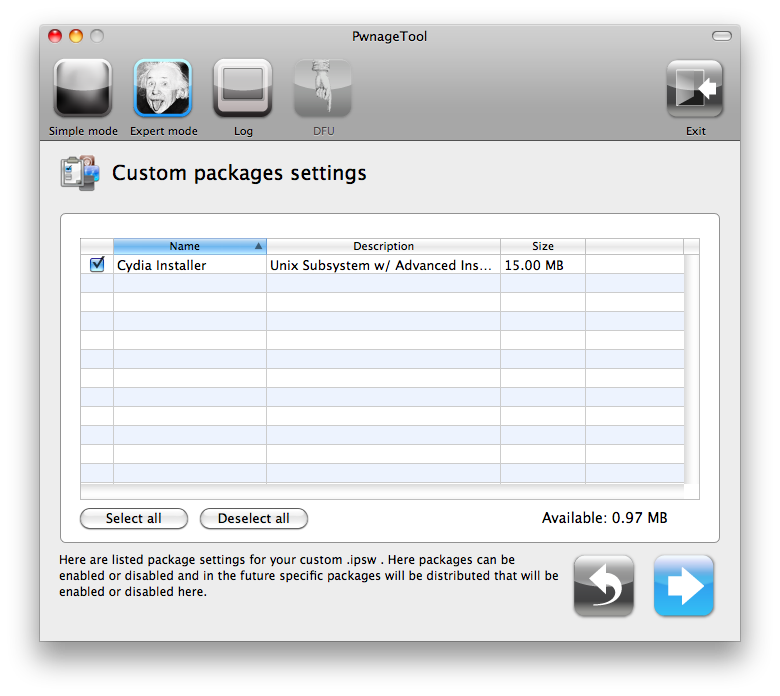
The Custom Packages Settings menu displays listed package settings for your custom IPSW. For know leave these settings as is. Click the blue arrow button to continue.


Step Seven
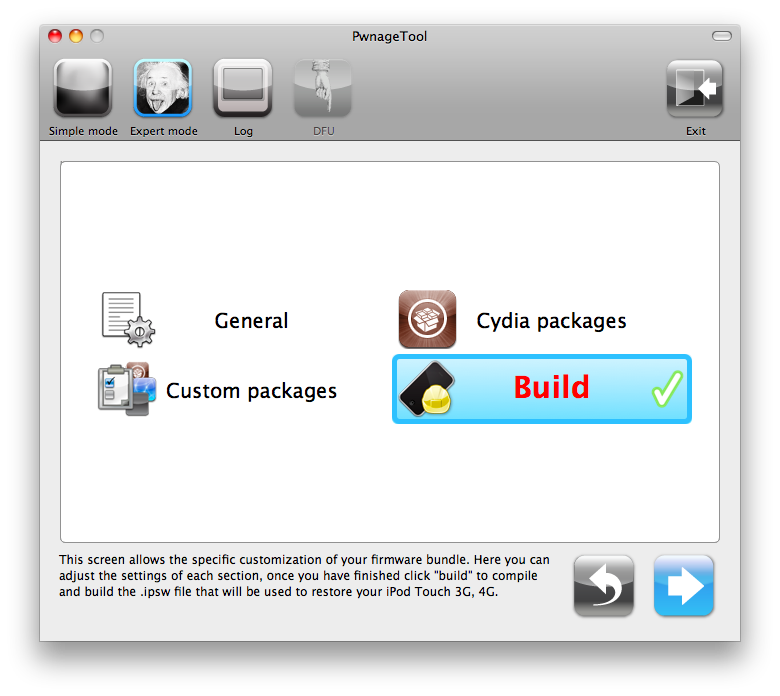
You are now ready to begin the pwnage process! Click the Build button to select it then click theBlue arrow button to begin.


Step Eight
You will be asked to save your custom .ipsw file. Save it to your Pwnage folder you created on your Desktop.


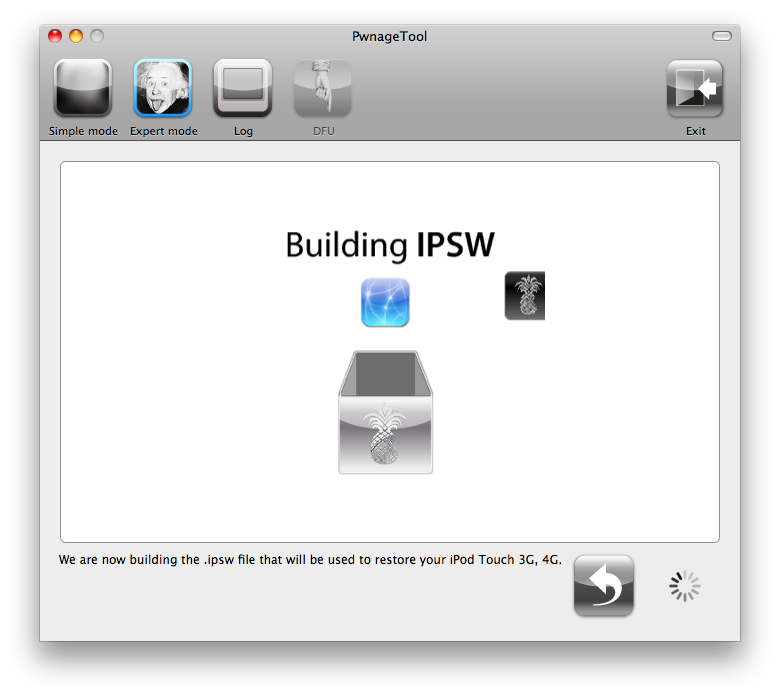
Your IPSW is now being built. Please allow up to 10 minutes.


You will be asked to enter your administrator password. Do this then click the OK button.


Step Nine
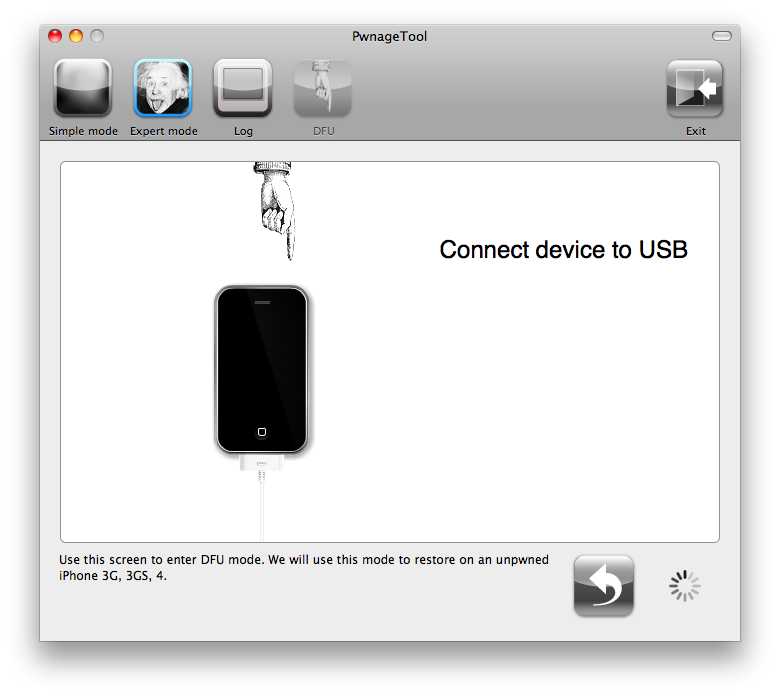
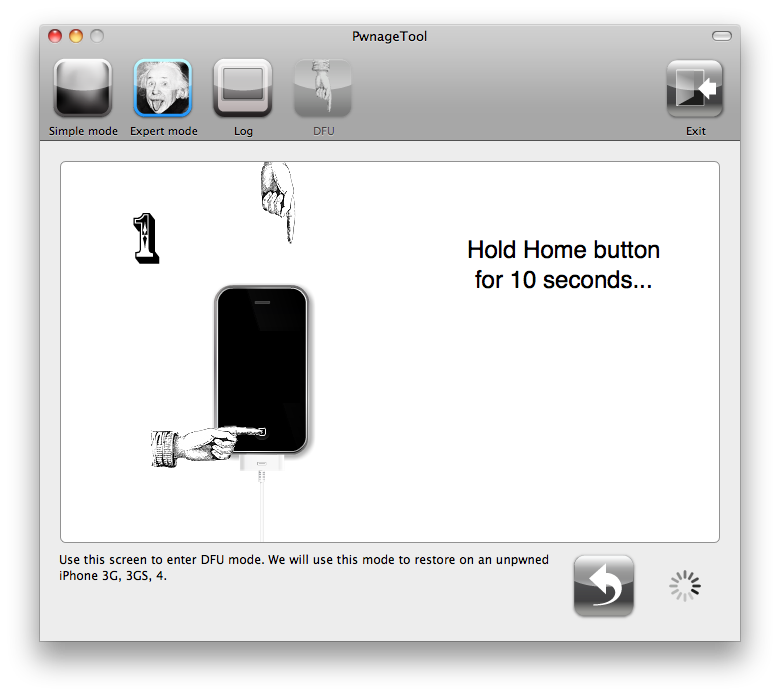
Once your ipsw has been built you will be asked to connect your iPod to the computer. Once it detects your device PwnageTool will guide your through the steps to putting your iPod into DFU mode.


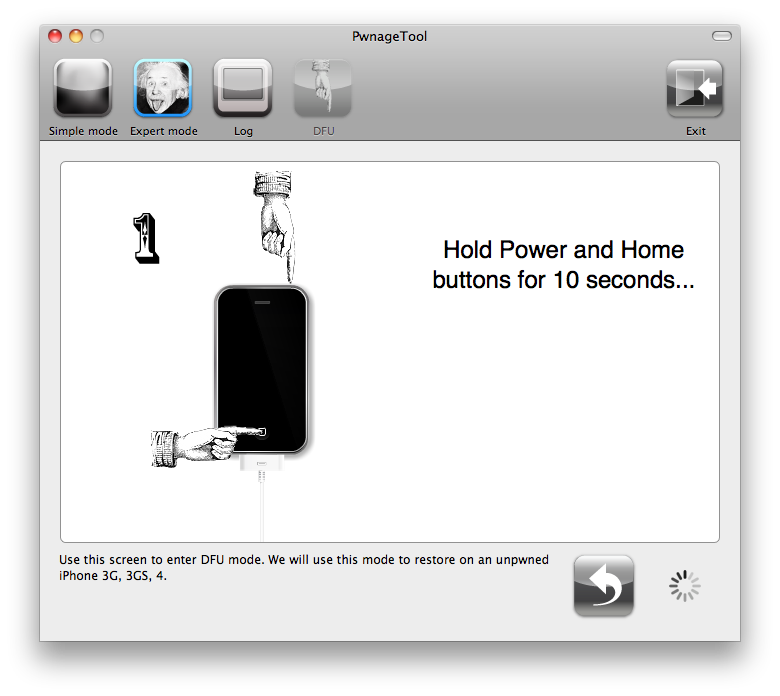
Press and hold the power and home buttons for 10 seconds.


Then release the power button and continue holding the home button for 10 seconds.


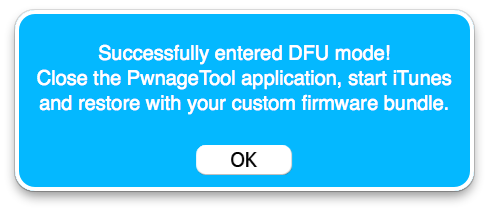
Once your iPhone is successfully in DFU mode, PwnageTool will prompt you to launch iTunes.


Step Ten
Once In iTunes, hold the Alt/Option key and click Restore.


Step Eleven
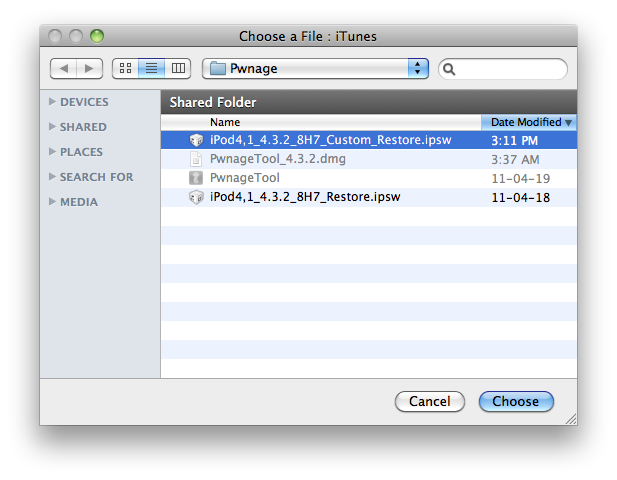
Navigate to the Pwnage folder on your desktop using the dialog window that appears. Select the custom IPSW that was created and click the Choose button.


Step Twelve
iTunes will now restore the firmware on your iPod. This can also take up to 10 minutes. Once done you will be rebooted into jailbroken iPod OS 4.3.2!

***THANKS: Thank you to Dev-Team and I0n1c for their hard work in making this jailbreak and tutorial possible!


*thanks iclarified*

Our new Forum is now open here or on the top tabs marks Forums, please register and post.. For the latest limera1n, rubyra1n, and all tech stories, follow us on Twitter at @iphonepixelpost or @limerain_com www.iPodSets.com - Posted using my iPhone 4